
NE¼ SW¼ · Sec. 12 · T4N R2W

Survey software that works for surveyors. Built by surveyors.

Run your survey firm’s operations from field to finish: estimates, jobs, field-to-finish, topography, site photos, and time in one system. Developed and used every day by a working survey firm. It does more than the tools you pay for now, and for most firms it costs less.

Request early access See what it does

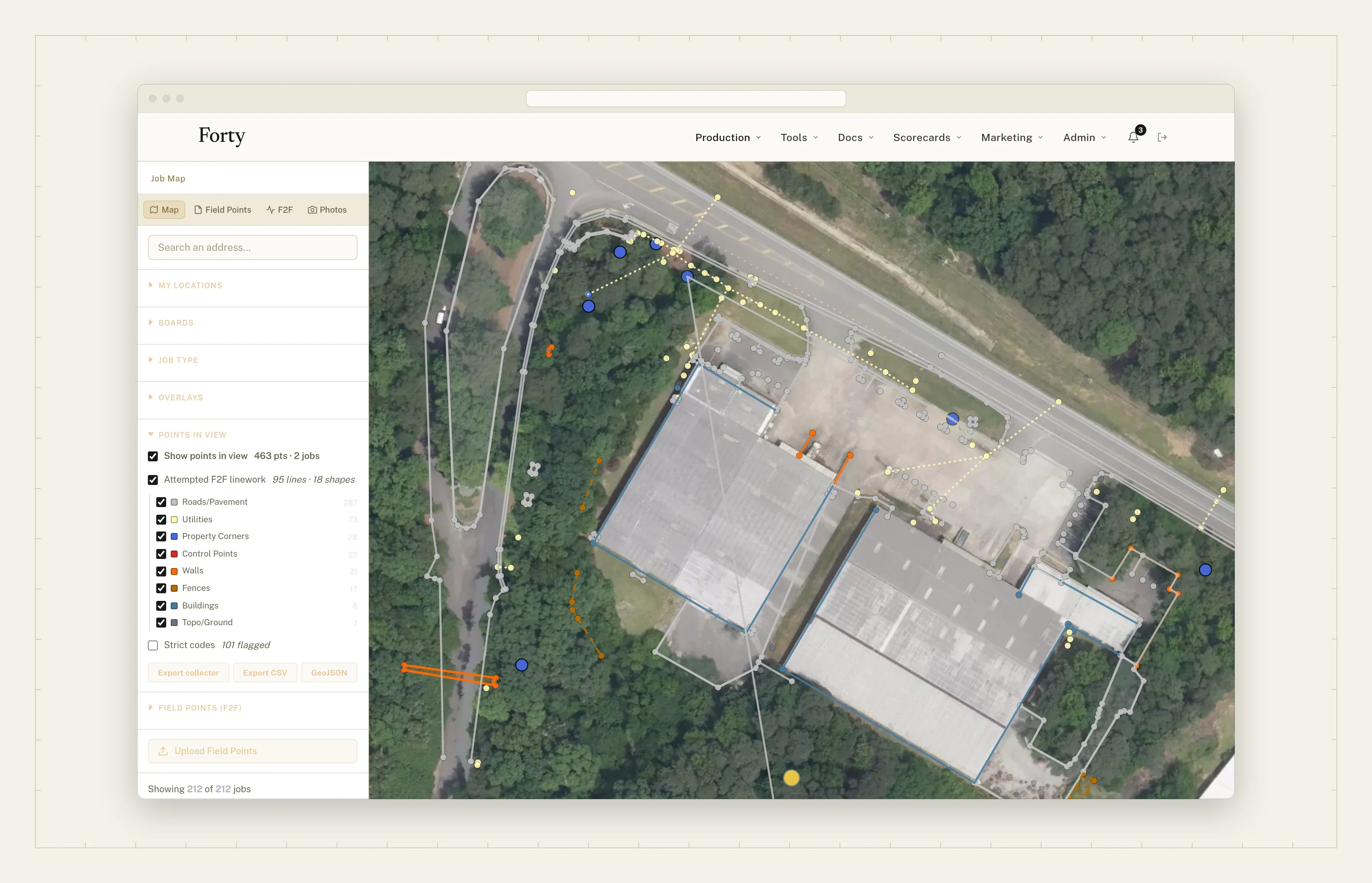
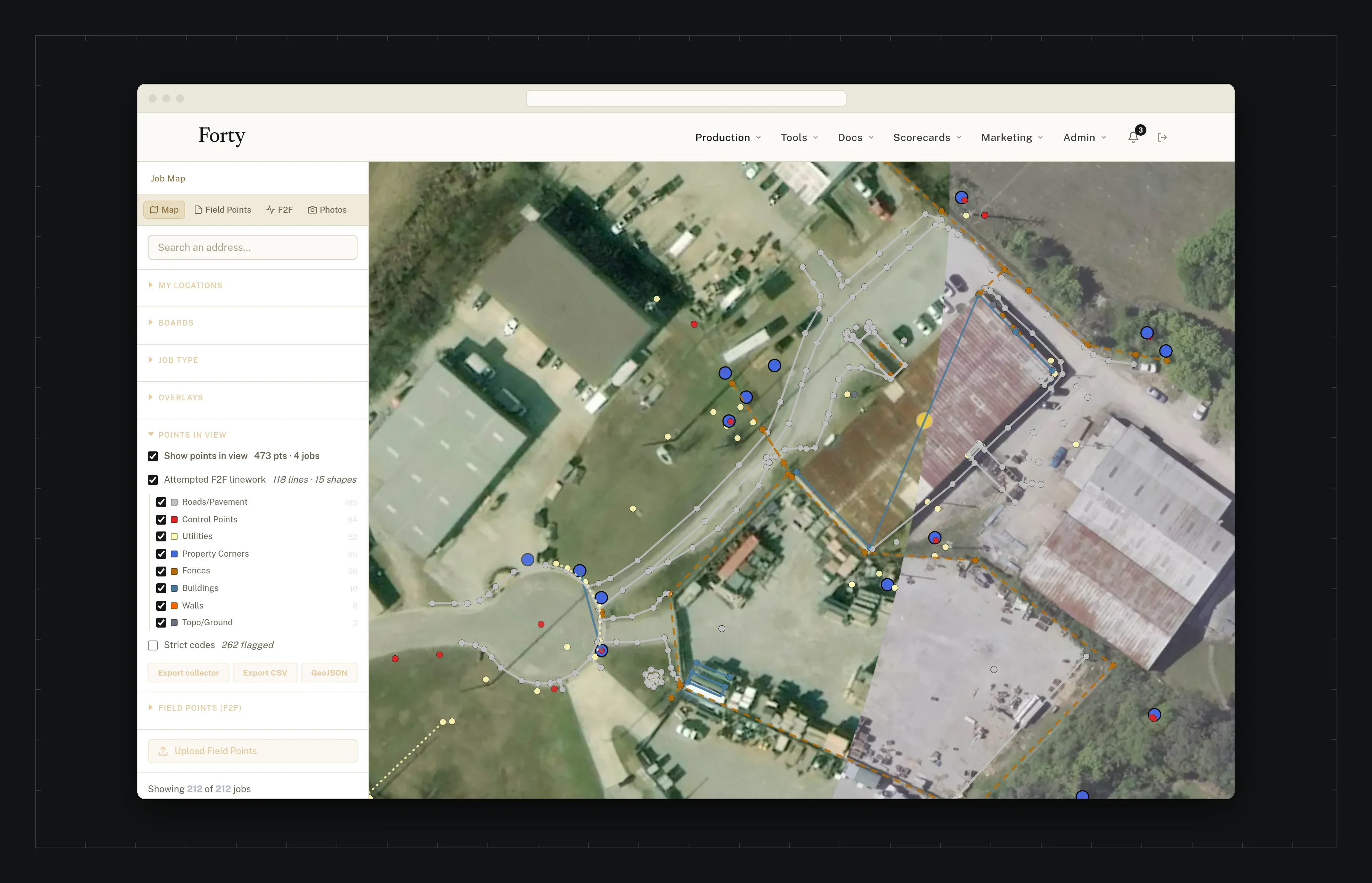
Field-to-finish linework over aerial imagery: property corners, walls, fences, buildings, and utilities around two buildings in the woods
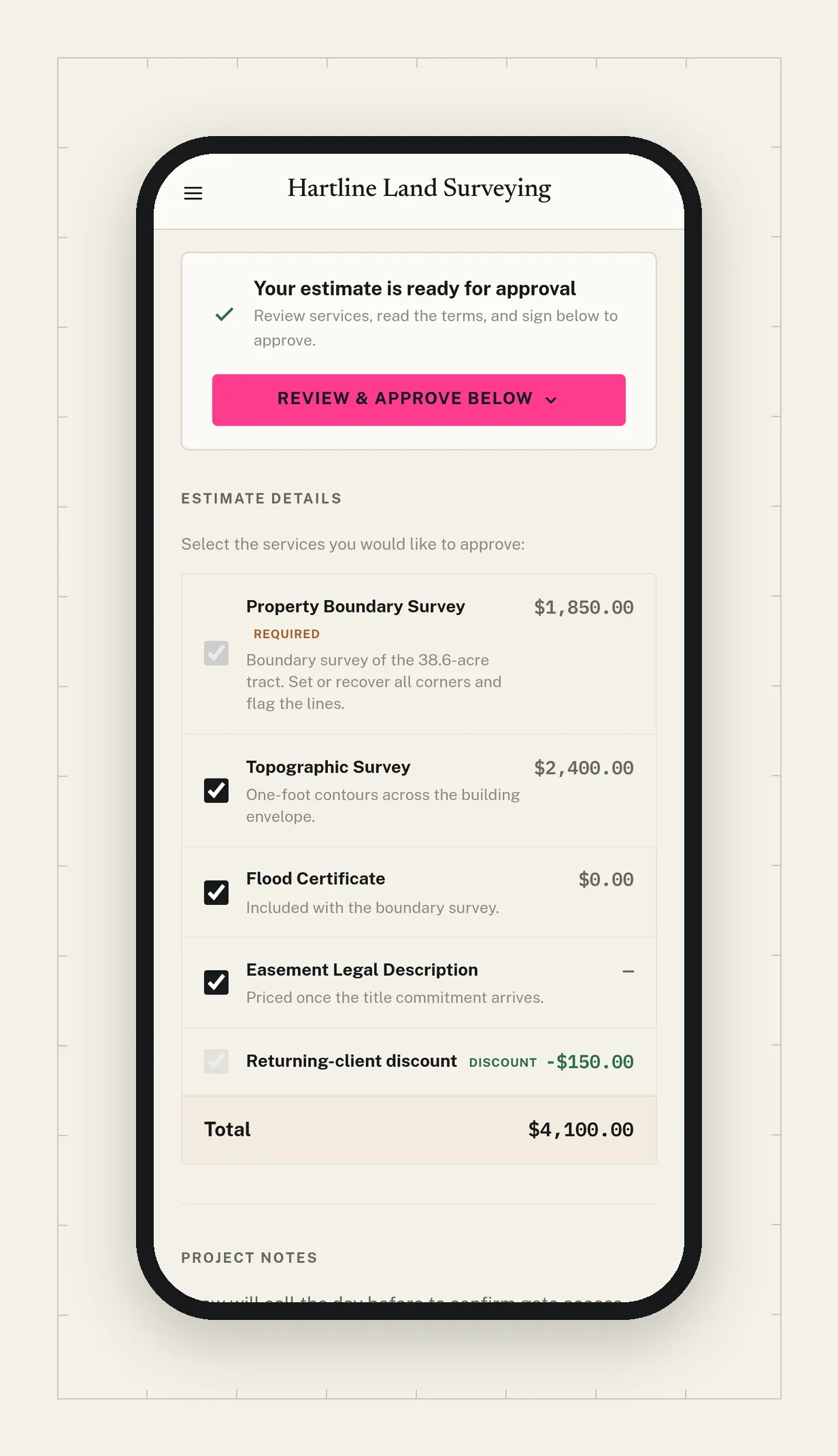
The customer’s quote on a phone, ready for approval

Field-to-finish over the aerial · the customer’s quote 

01 · Field-to-finish

Field-to-finish linework, the day it’s shot.

Your crew’s field codes, drawn as finished linework on a live map: corners, fences, walls, right of way, and buildings, each in its own style. The office and the PLS review fieldwork before it reaches drafting, and export it when it’s right.

Replaces

  • Waiting on drafting to see the fieldwork
  • A map that draws every point the same
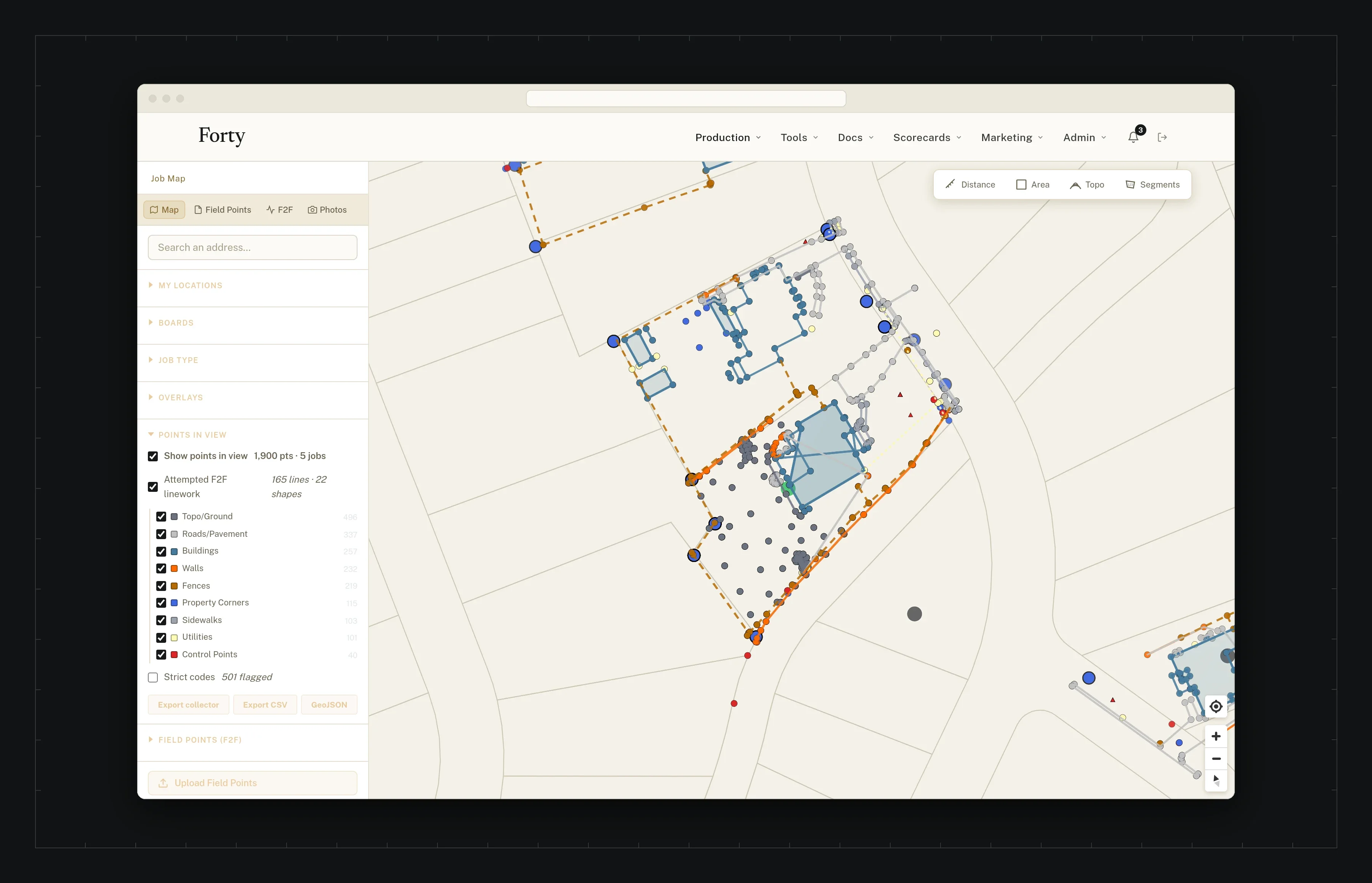
Field-to-finish linework over aerial imagery of a residential lot
Field-to-finish linework drawn from the crew’s field codes, over the parcel map

What you get

Your codes, each in its own style.
Property corners, right of way, fences, walls, and buildings each draw the way a plat would. Retired codes still draw, because old jobs used them.
Reviewed before drafting.
The office and the PLS see the linework as it comes in from the field, on a laptop, without a CAD seat. Export it when it’s right.
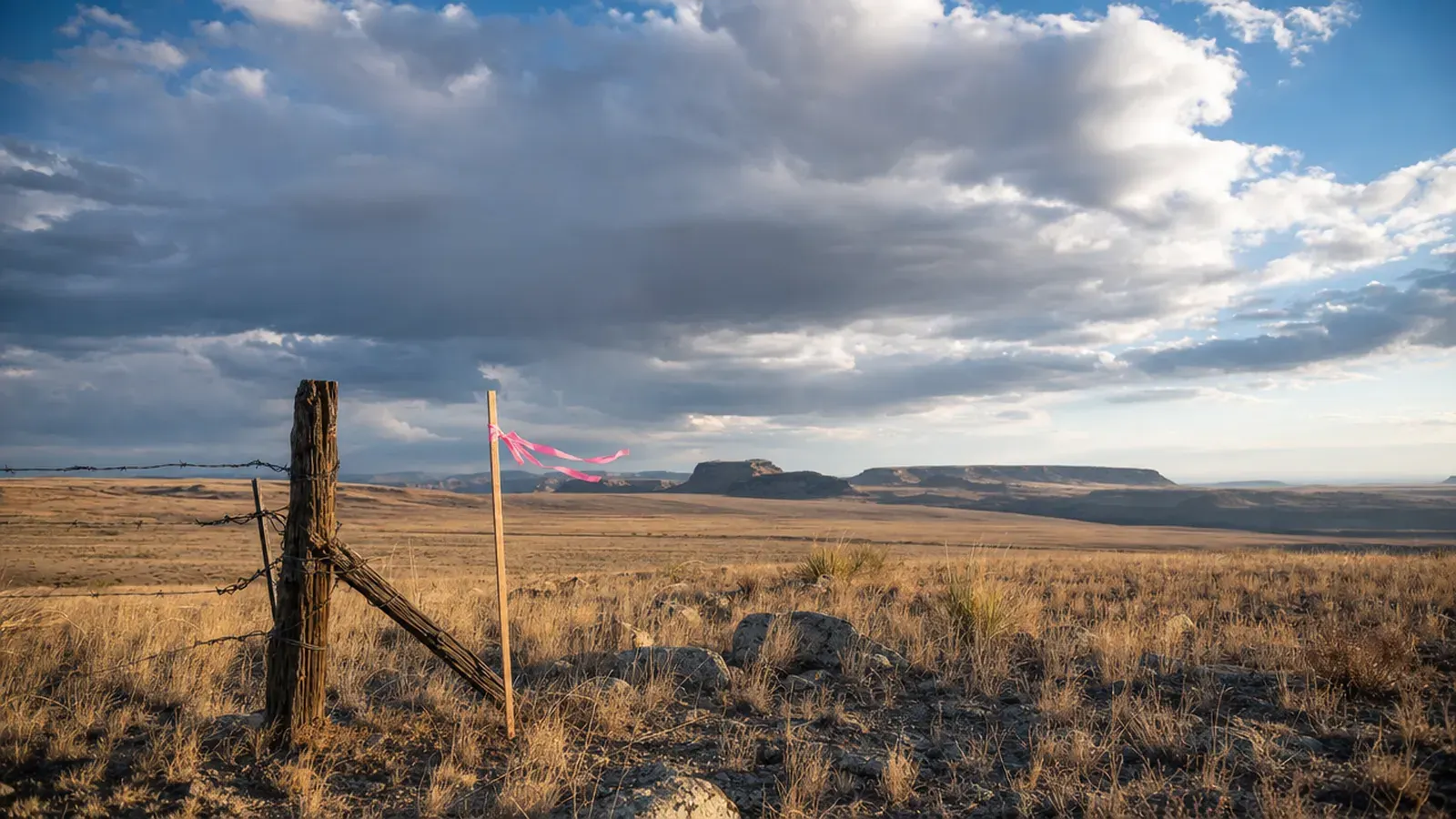
A fence corner post in open rangeland, pink flagging on the lath

In the day · 11:40

The points come in from the field. The PLS opens the linework on a laptop, sees the fence 1.8 feet over the line, and calls the crew while they’re still on site.

Try it This is how field-to-finish draws a job in Forty.

    02 · Topography

    Topographic surveys from point clouds or field-run data.

    Forty builds the surface from a point cloud or field-run shots. You QC it and edit contours in the browser, lock each version, export DXF and LandXML, and give your client a viewer tied to the exact version you approved. Contours down to 1 ft, with index contours and labels placed for you.

    Replaces

    • A folder of files emailed to the client
    • QC in one program, contours in another

    What your client gets: a topo they can explore.

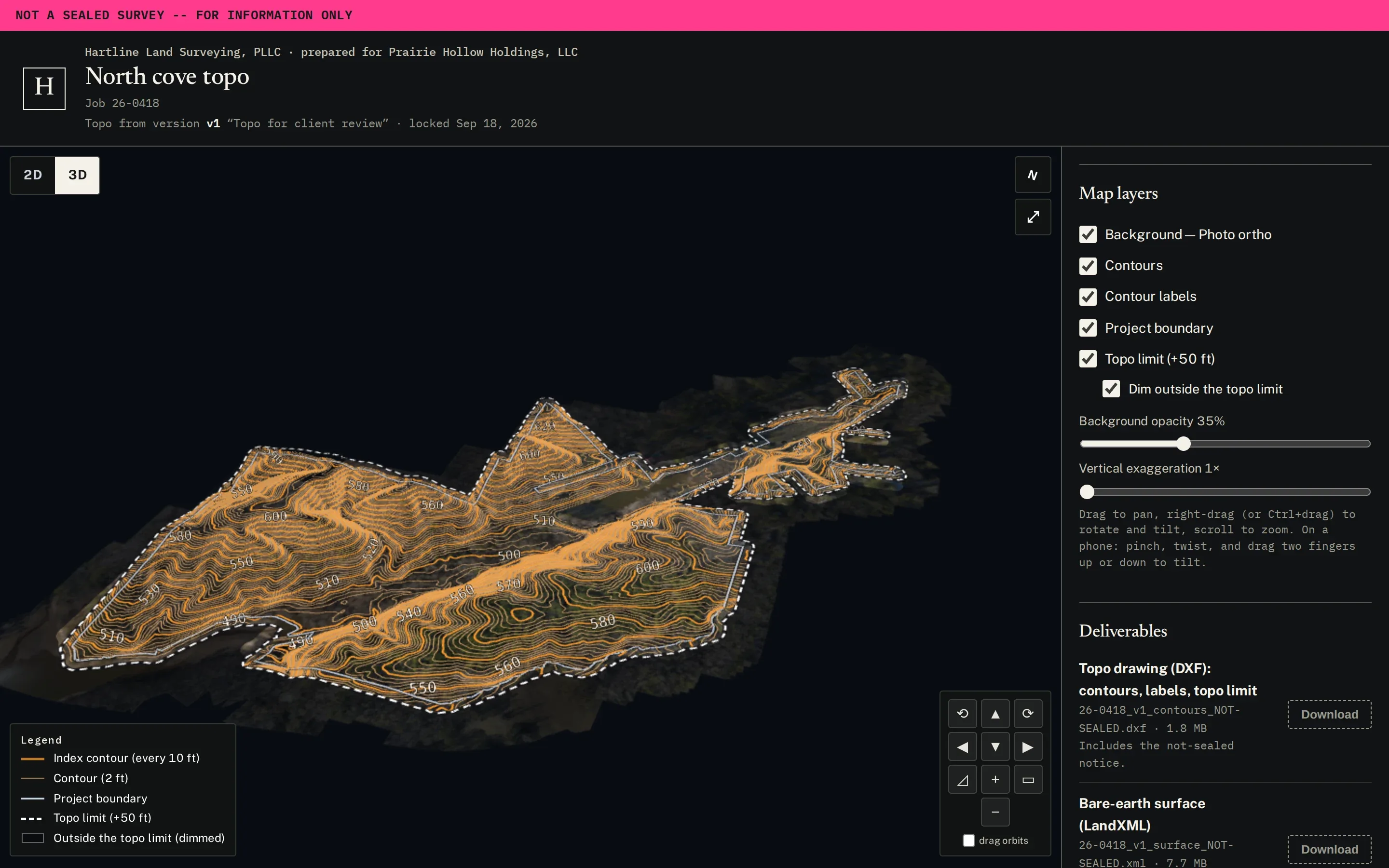
    The client topo viewer in 3D: contours over the orthophoto, with layers and deliverables beside it
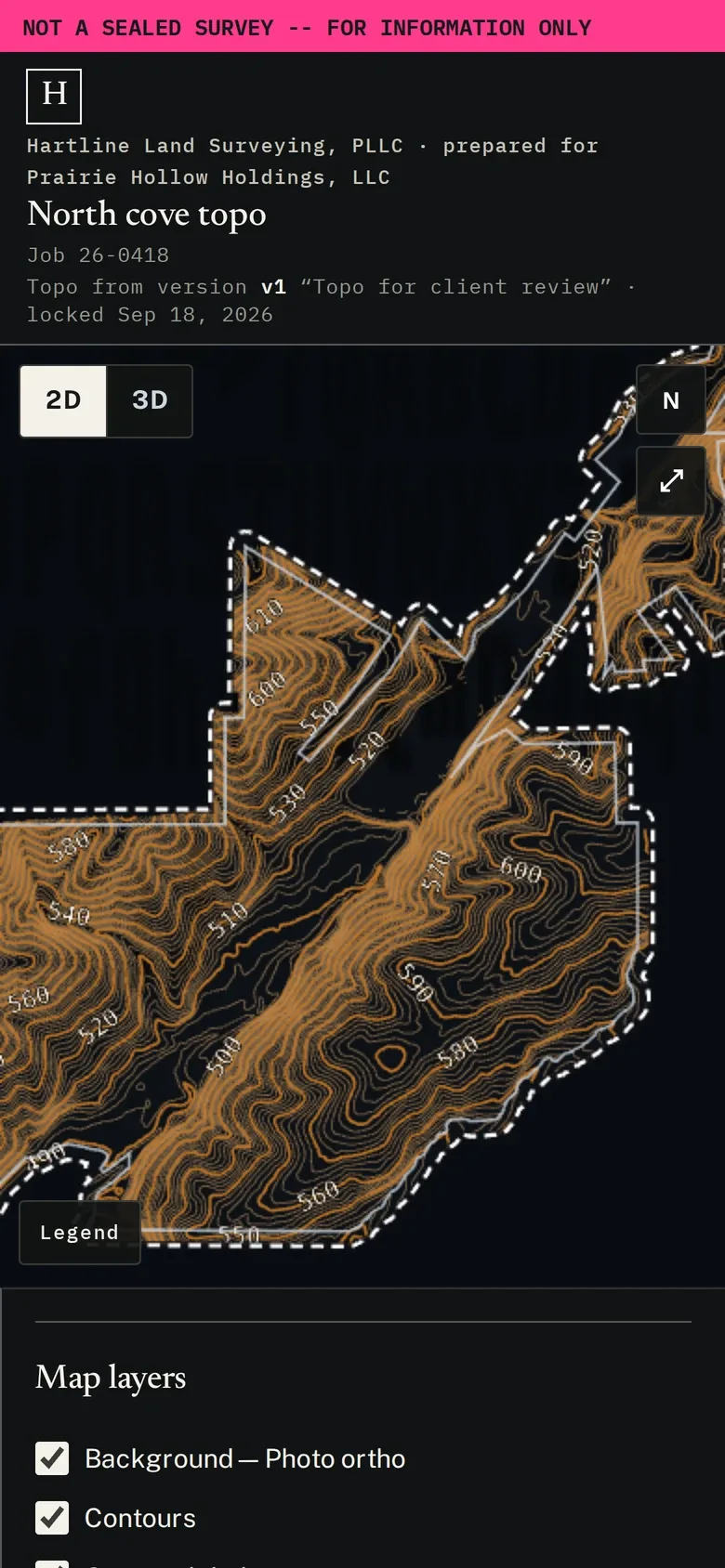
    The client topo viewer on a phone

    The real client viewer, with a fictional firm and client. Drag to rotate, scroll to zoom. Downloads are off in the demo. Open it full screen

    Your side: QC, contours, and versions.

    The topography QC workspace: surface, contours, and edits, beside 1 ft contours over the orthophoto
    The QC workspace: surface, contours, and edits, step by step.
    Surface QC: a proposed repair, with the contours now in red and the result in green
    Surface QC shows what a fix changes before you commit it.
    The client link on a phone: the not-sealed notice, the firm’s name, and contours over the orthophoto
    What your client sees, on a phone.
    Clean 1 ft contours with 10 ft index labels, and the contour settings
    1 ft contours with 10 ft index, like the drafted sheet.
    Client links, each bound to a locked version, with DXF and LandXML marked not sealed
    Locked versions, client links, and DXF and LandXML marked not sealed.

    What you get

    QC and contours in the browser.
    Fix the surface where the ground is wrong, and every contour follows it. Bring a processed LiDAR point cloud or field-run data. A person names the zone; it isn’t guessed from the file.
    Versions your client can open.
    Lock a version, export DXF and LandXML, and send a link: contours in 2D or 3D on a phone, with the not-sealed notice on the page and in every file.
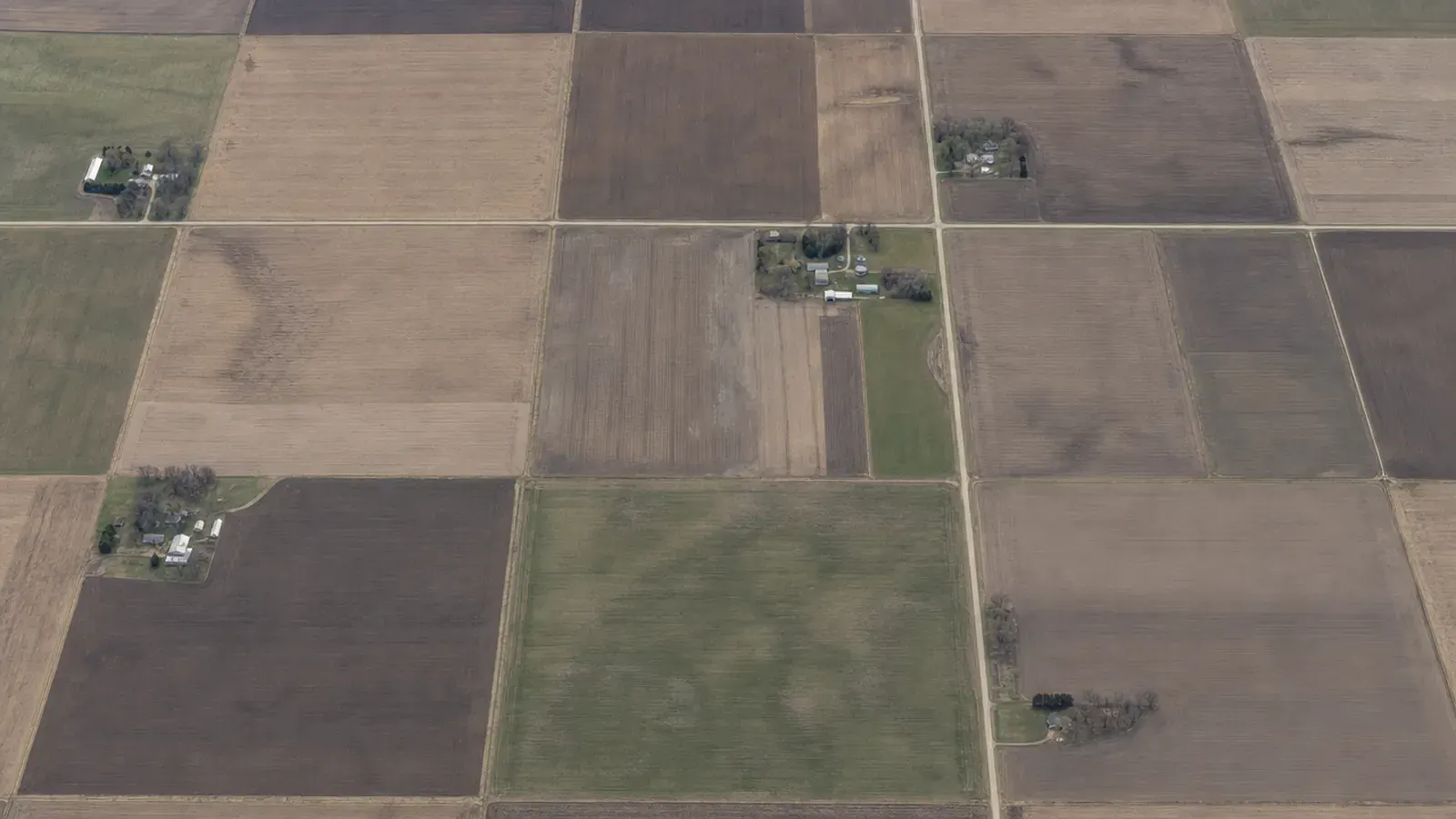
    Farmland from above, in quarters and forties

    In the day · 16:20

    The developer opens the topo on a phone, in 3D, from a link. It’s the version you locked, and nothing else.

    T4N R2W · the business side

    The business side, in the same system.

    Estimates, jobs, site photos, time, and tracking replace the project board, the e-sign app, the photo app, the time app, and the spreadsheet. Everything is tied to the job, and for most firms Forty costs less than those tools do.

    03 · Estimates & approvals

    Quotes your customers approve and sign on a phone.

    Build a quote from your services and send it as a clean web page and PDF. The customer reviews, approves, and signs on a phone. Follow-ups go out automatically.

    Replaces

    • The Word quote template
    • The e-sign app
    • Follow-up reminders on a sticky note
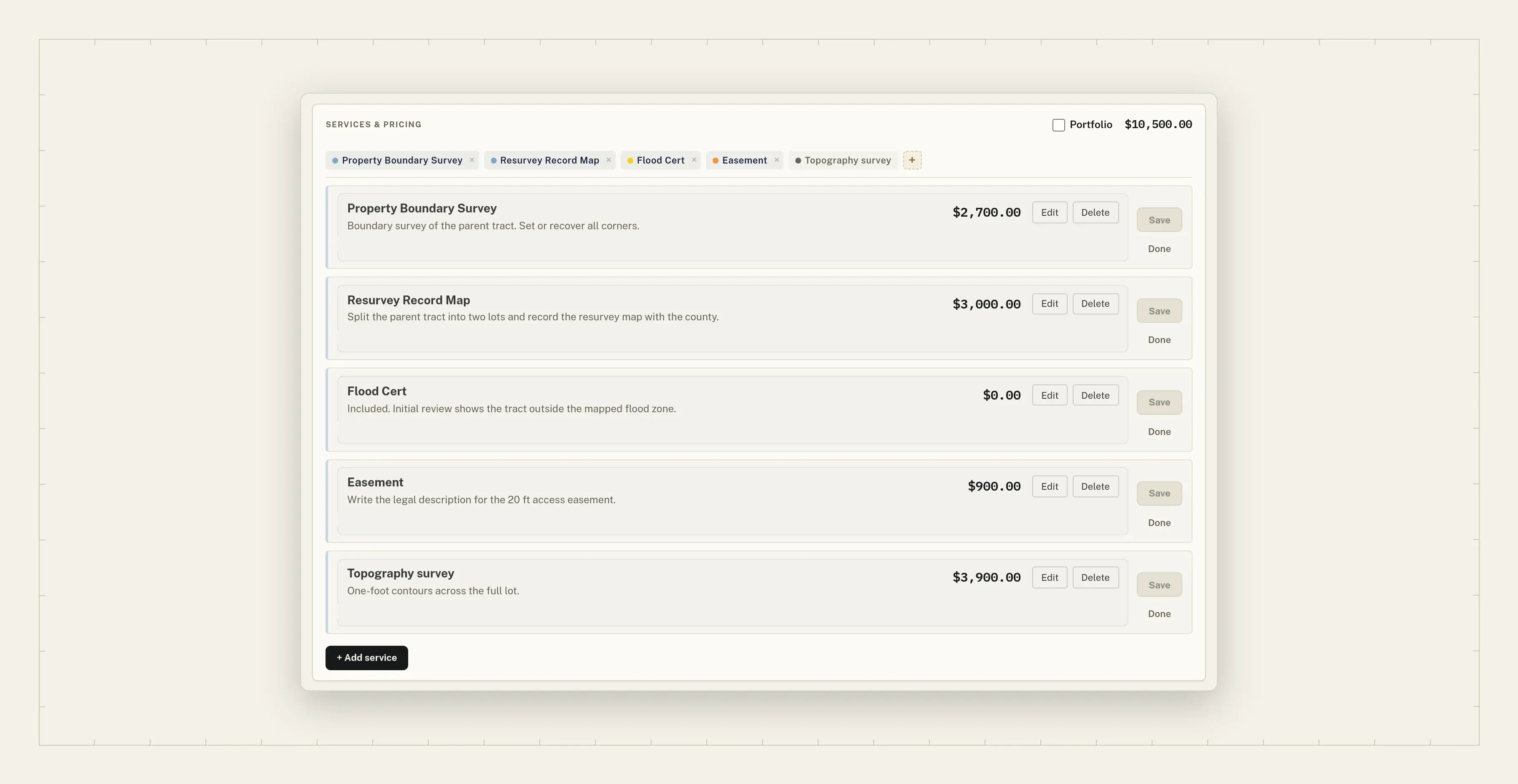
    The estimate builder: five services, each priced, with a portfolio total
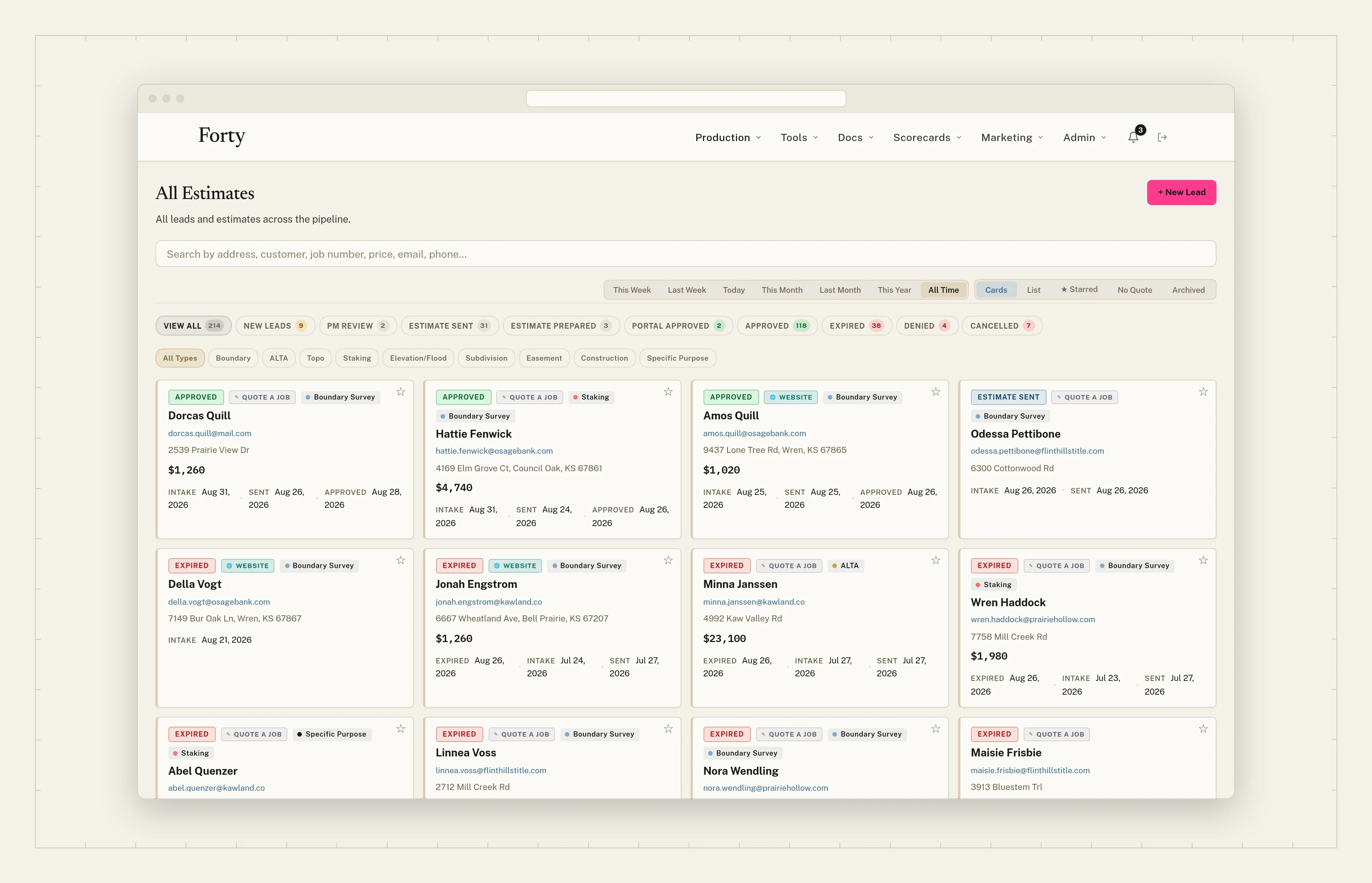
    All estimates on one board, by status
    The customer’s quote on a phone, ready for approval
    Approve and sign on a phone, with the timeline below

    What you get

    Pricing factors you set.
    Suggested prices from the factors your firm uses, such as boundary length, corner count, acreage, and an improvements score suggested from parcel data, each with its own rate. You set the final price.
    One tracked job per property.
    A quote for several properties becomes one tracked job per property when it’s approved.
    A phone face up on a kitchen table in morning light

    In the day · 21:04

    A realtor approves three lots from a phone at 9 pm. You have three tracked jobs in the morning.

    Try it This is how pricing factors work in Forty.

    A suggested price from your own factors.

    This job

    Score 3 · House and outbuildings

    Suggested from parcel data. You can change it.

    Your firm’s factors

    Suggested price

    $1,925

      Example factors and rates. Each firm sets its own, turns any factor off, and sets the final price on the quote.

      NE¼ SW¼ · Sec. 12 · T4N R2W

      Price a real lot.

      Type an address. Forty finds the parcel, measures the boundary, counts the corners, reads the acreage, and suggests an improvements score.

      Try it Price a real lot. Suggested prices use example rates; your firm sets its own.

      US addresses. The lot is measured from county parcel data.

      The map loads when you search.
      Boundary
      Corners
      Acreage
      Improvements score
      Parcel

      Try it The job side fills in from the parcel. Change anything.

      The suggested price for this lot.

      This job

      Score 3 · House and outbuildings

      Suggested from the county’s assessed values. Change it if we’re off.

      Your firm’s factors

      Suggested price

      $1,925

        Example factors and rates. Each firm sets its own, turns any factor off, and sets the final price on the quote.

        Map, imagery, and address search: Mapbox. Parcels: Regrid.

        04 · Customer portal

        Your customers see their project, not a PDF.

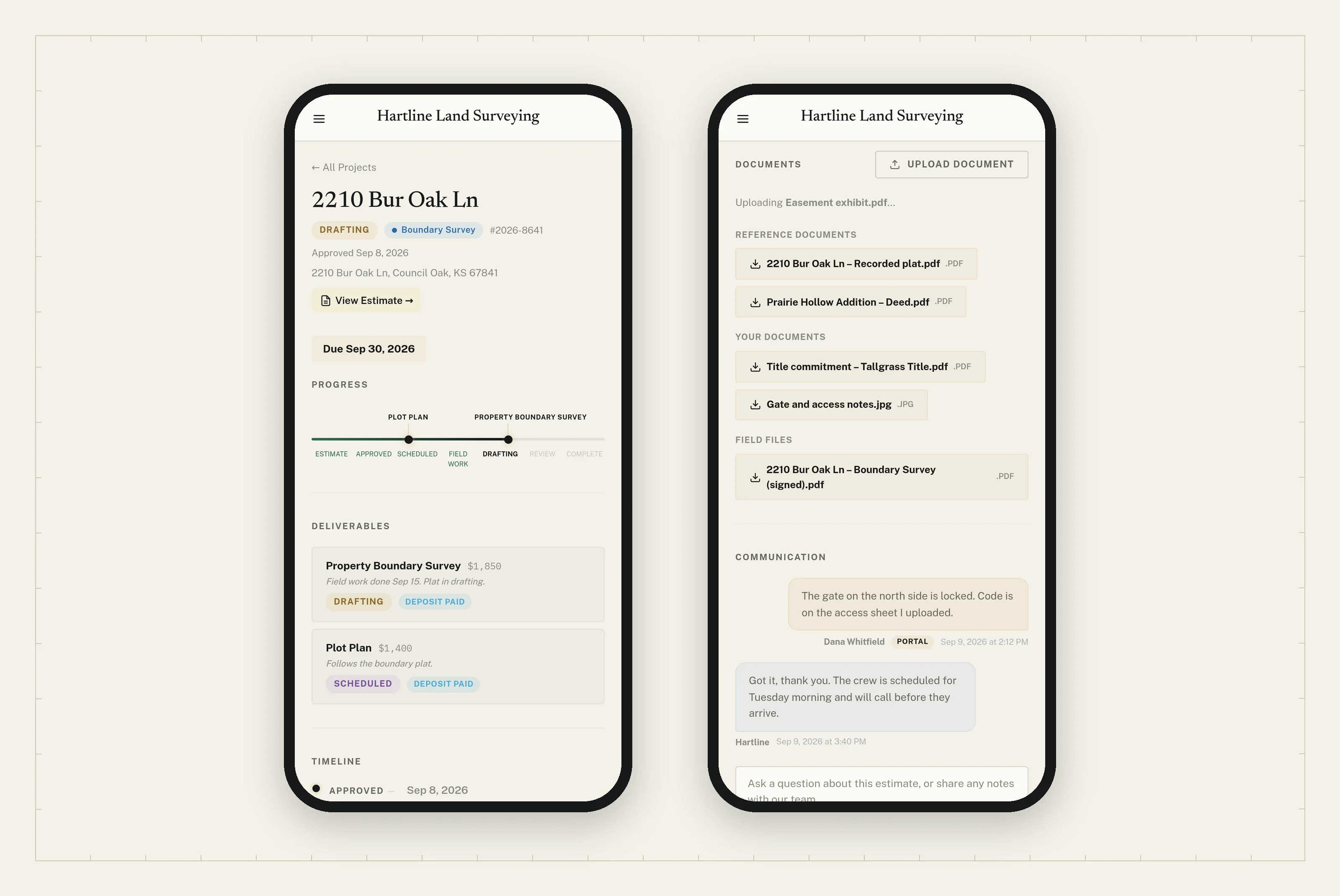
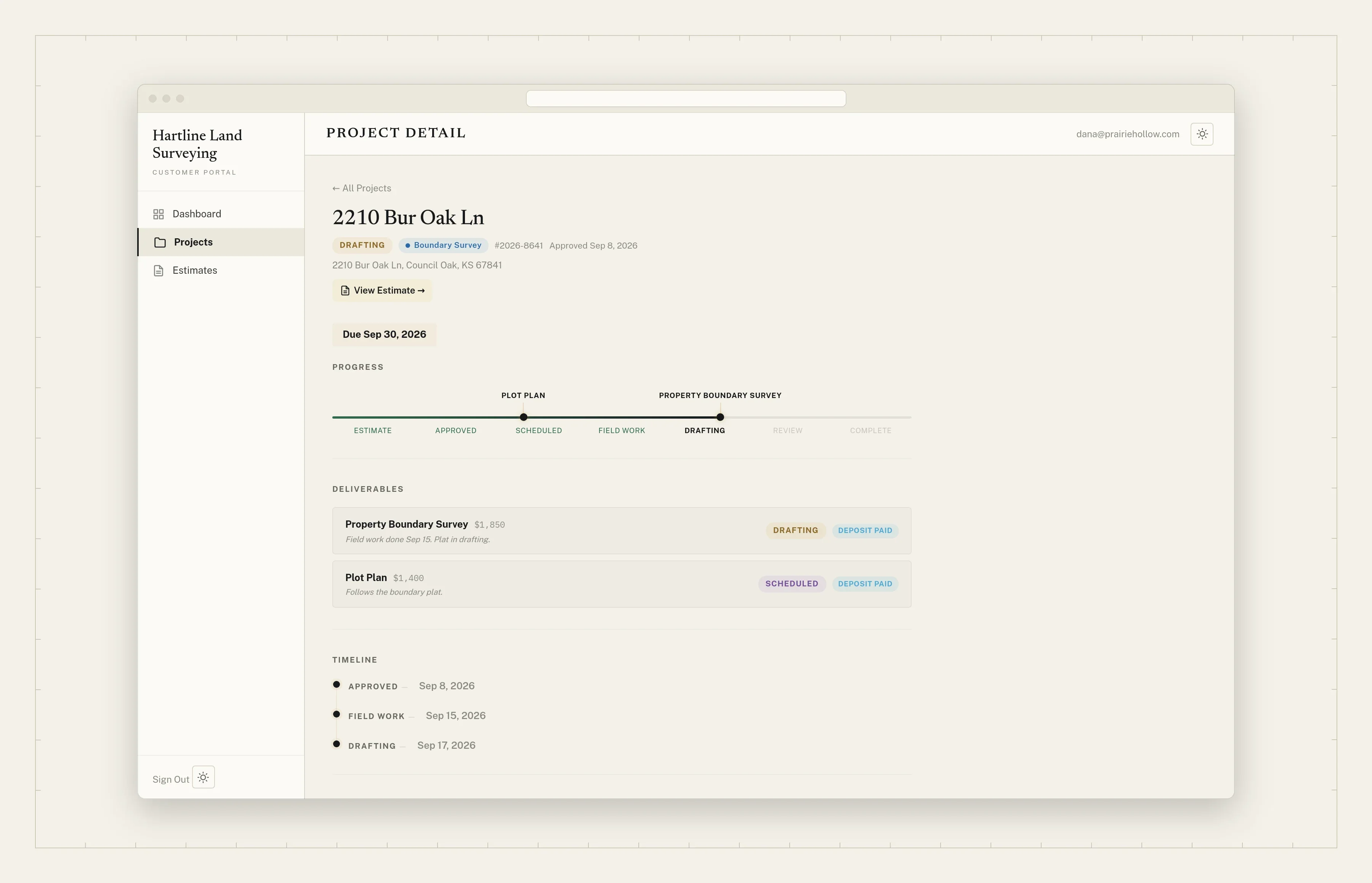
        They approve and sign on a phone, then follow the job from scheduled to field work to drafting to delivered. They download their documents, upload their deed or title work, and message your office, all under your firm’s name.

        Replaces

        • PDFs in an email chain
        • “Where are we on my survey?” calls
        The customer portal on a phone: the project’s progress, and documents to download and upload
        The customer’s project page: status, each service’s progress, deliverables, and timeline

        What you get

        Every service, every step.
        The project page shows where each service stands: scheduled, field work, drafting, review, complete. A plot plan and a boundary survey can sit at different steps, side by side.
        Documents both ways, and one thread.
        Plats and deeds from you, the deed or title work from them, and the signed survey from the field, each downloadable by name. Messages and email replies land in one thread. Customers sign in with a link, no password.
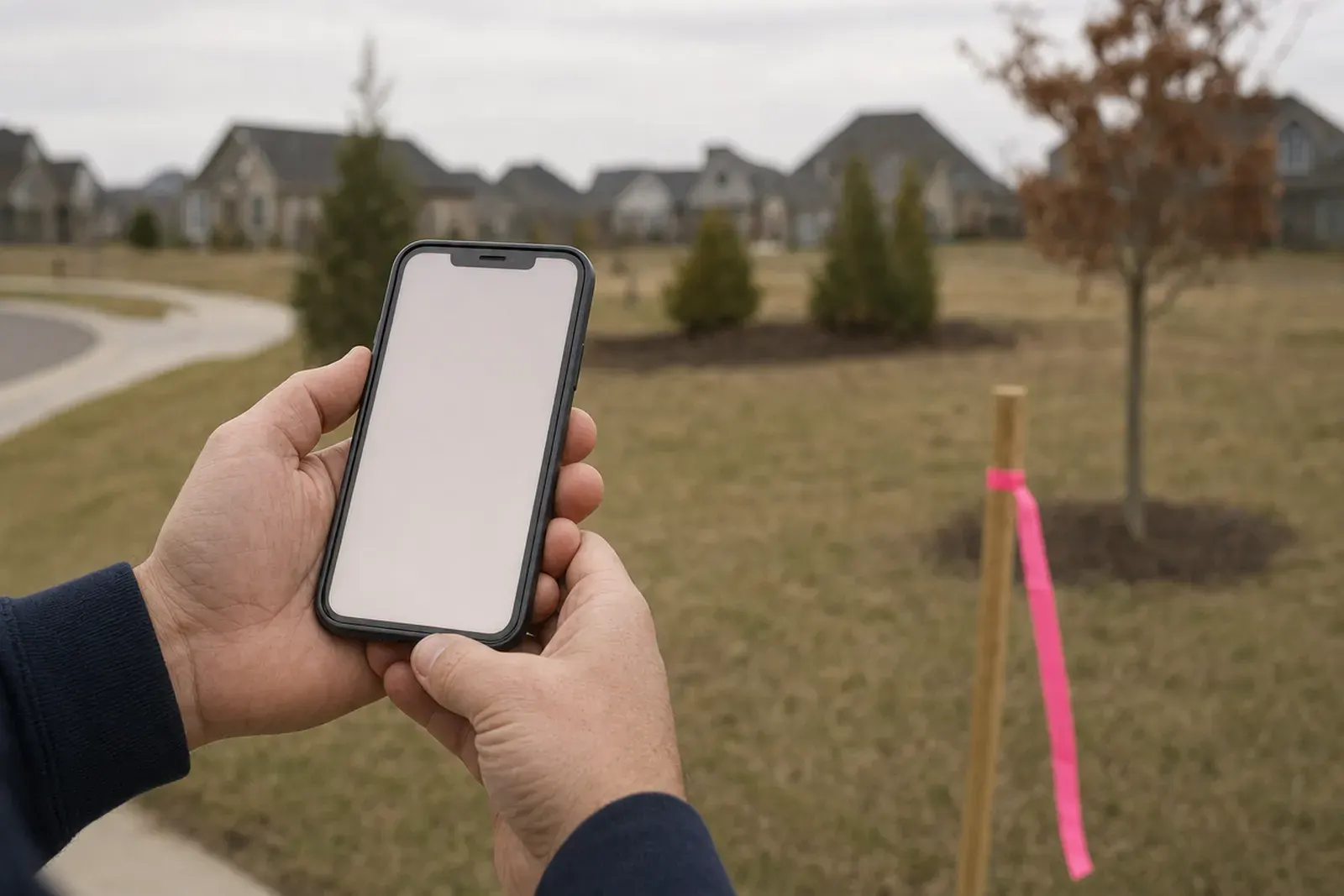
        A phone held at a lot corner, pink flagging on the lath

        In the day · 10:15

        The lender asks where the survey is. Your customer checks the portal instead of calling your office: drafting, due Friday.

        SW¼ NW¼ · Sec. 09 · T4N R2W

        The quote your customer gets.

        It carries your firm’s name, not ours. The customer reviews it, approves, and signs on a phone.

        Try it This is how a customer approves a quote in Forty. Tap Approve and sign with a finger or a mouse.

        1. 1
          Priced. $1,850.00 for the boundary survey.
        2. 2
          Included. A line at no charge says so, so the customer sees it’s part of the work.
        3. 3
          To be quoted. A line that isn’t priced yet stays out of the total.
        4. 4
          Discount. Its own line, tied to the work that earns it.
        5. 5
          Hourly rate. Shown as a rate, outside the total.
        6. 6
          Three properties. Each becomes its own tracked job on approval.

        Open it full screen Send it to someone in the office. It works on a phone.

        Hartline Land Surveying, PLLC

        311 Depot Street · Alder Creek, KS · (620) 555-0142

        Sent Sep 16 · Opened Sep 17 EST-26-1127

        Boundary surveys for three properties

        Addressed to
        Prairie Hollow Holdings, LLC
        Approver
        Dana Whitfield, Acquisitions

        3 propertiesEach becomes its own job on approval.

        A

        1204 N. County Road 9

        • Boundary survey1,320 ft of line, 4 corners
          $1,850.00
        • Corner monuments, set where missingCapped iron pins, up to 4
          Includedat no charge
        B

        1210 N. County Road 9

        • Boundary survey980 ft of line, 4 corners
          $1,475.00
        • Discount · shared corner with AOne corner is already surveyed. Applies while A is approved.
          −$150.00
        C

        17 Orchard Lane

        • Boundary survey860 ft of line, 4 corners
          $1,300.00
        • Elevation certificateTo be quoted, after the flood zone determination
          To be quoted
        • Fence-line staking, if requestedA rate. Not in the total.
          $165.00per crew hour
        Subtotal
        $4,625.00
        Discount
        −$150.00
        Total
        $4,475.00

        One line to be quoted and one hourly rate are not in the total. Valid through Oct 16, 2026.

        Approving opens three jobs, one per property. You sign on the next step.

        Sent with

        Fictional firm, people, and addresses.

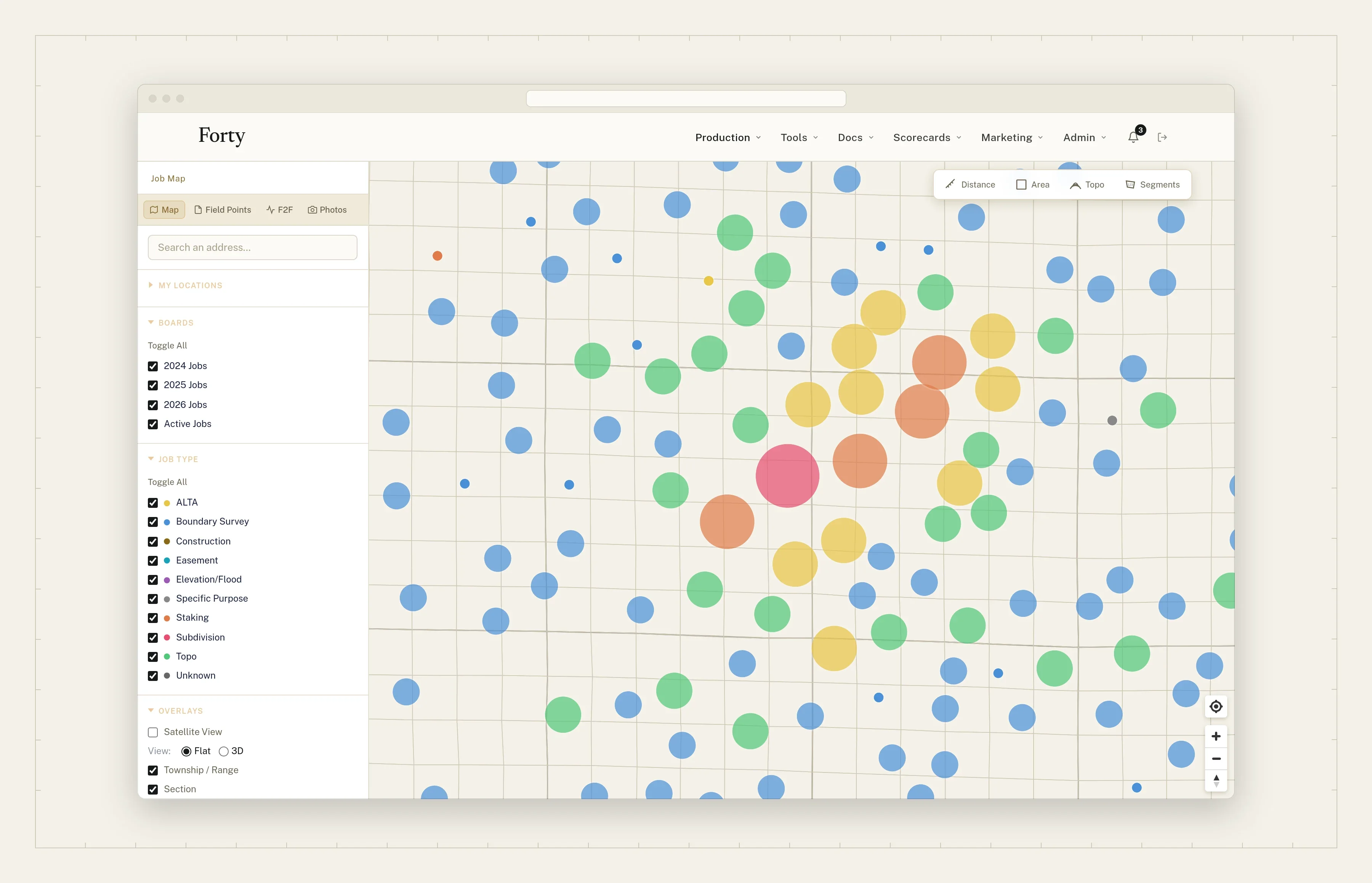
        05 · Jobs & the map

        Every job in one list and on one map.

        Every job from lead to delivered, in one list and on one map, plotted in its own state plane zone.

        Replaces

        • The work board
        • The whiteboard
        • “Where is that job?” from memory
        The job map over aerial imagery, with each job’s linework in place
        Every job on one map
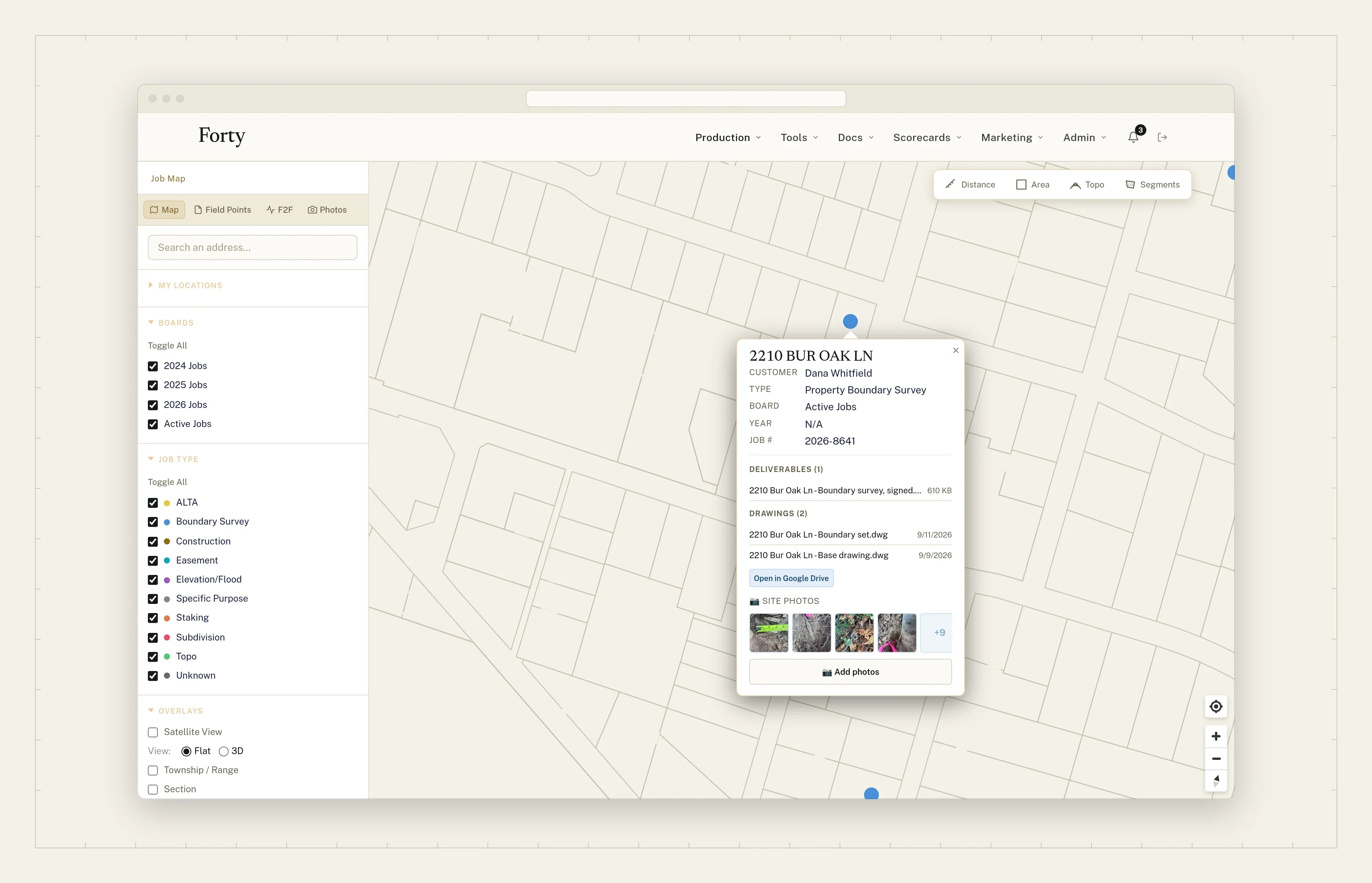
        A job opened from the map, with its details and site photos

        What you get

        The right projection, per job.
        Each job plots in its own state plane zone. The wrong zone can move a point hundreds of feet without an error.
        A pin per property.
        A portfolio spread over miles gets a lettered pin for each property, not one average pin in a field between them.
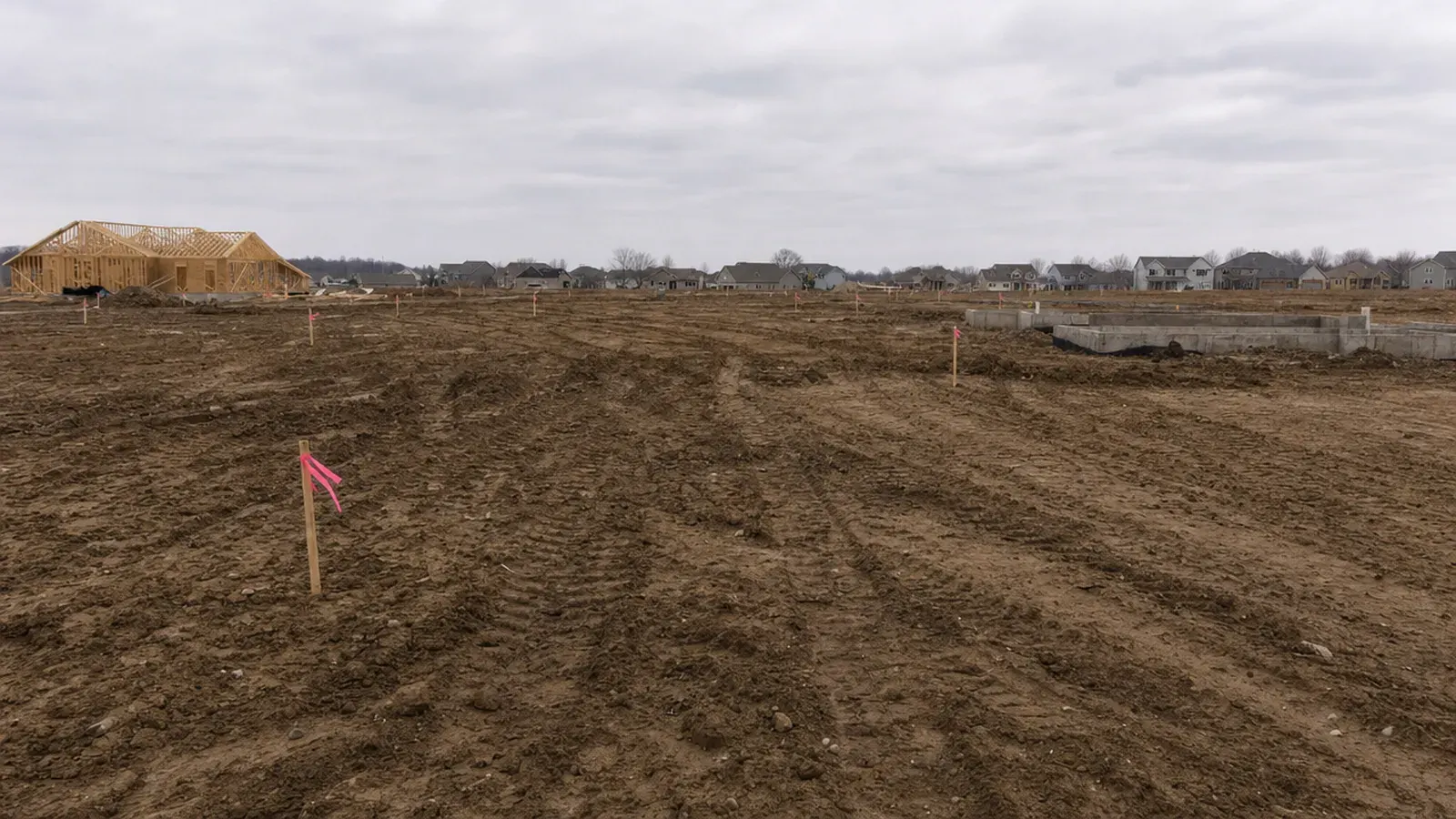
        A new subdivision in graded dirt, lot corners flagged

        In the day · 08:15

        A call comes in for a lot on County Road 9. The map shows your crew already set pins on the lot next door.

        Try it This is how Forty keeps each job in its own zone.

        Kansas South · Lambert conformal conic · JOB-26-0317

        A B C 0400 ft

        Each pin in its own zone.

        06 · Site photos

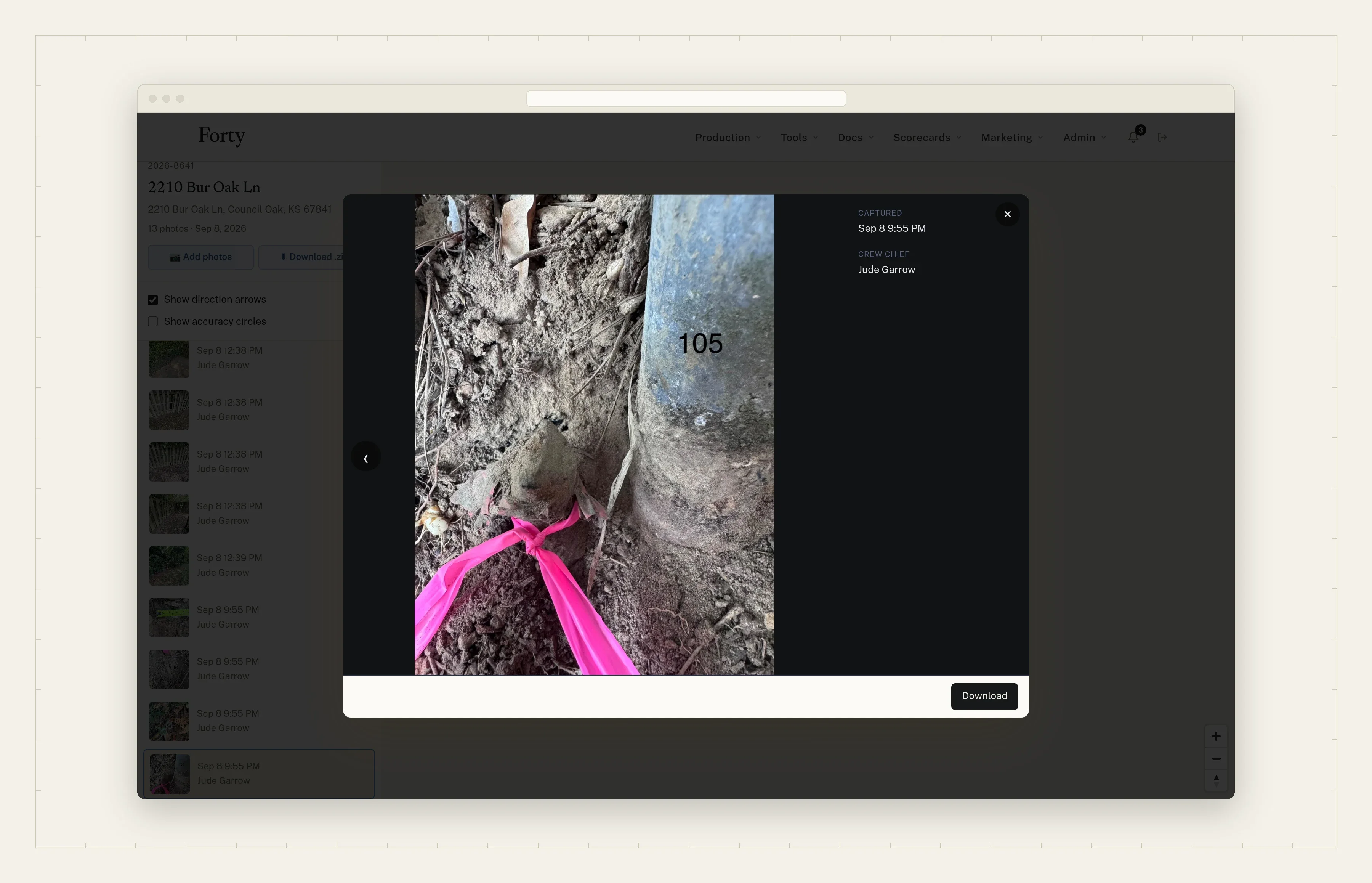
        Site photos that file to the job, even with no signal.

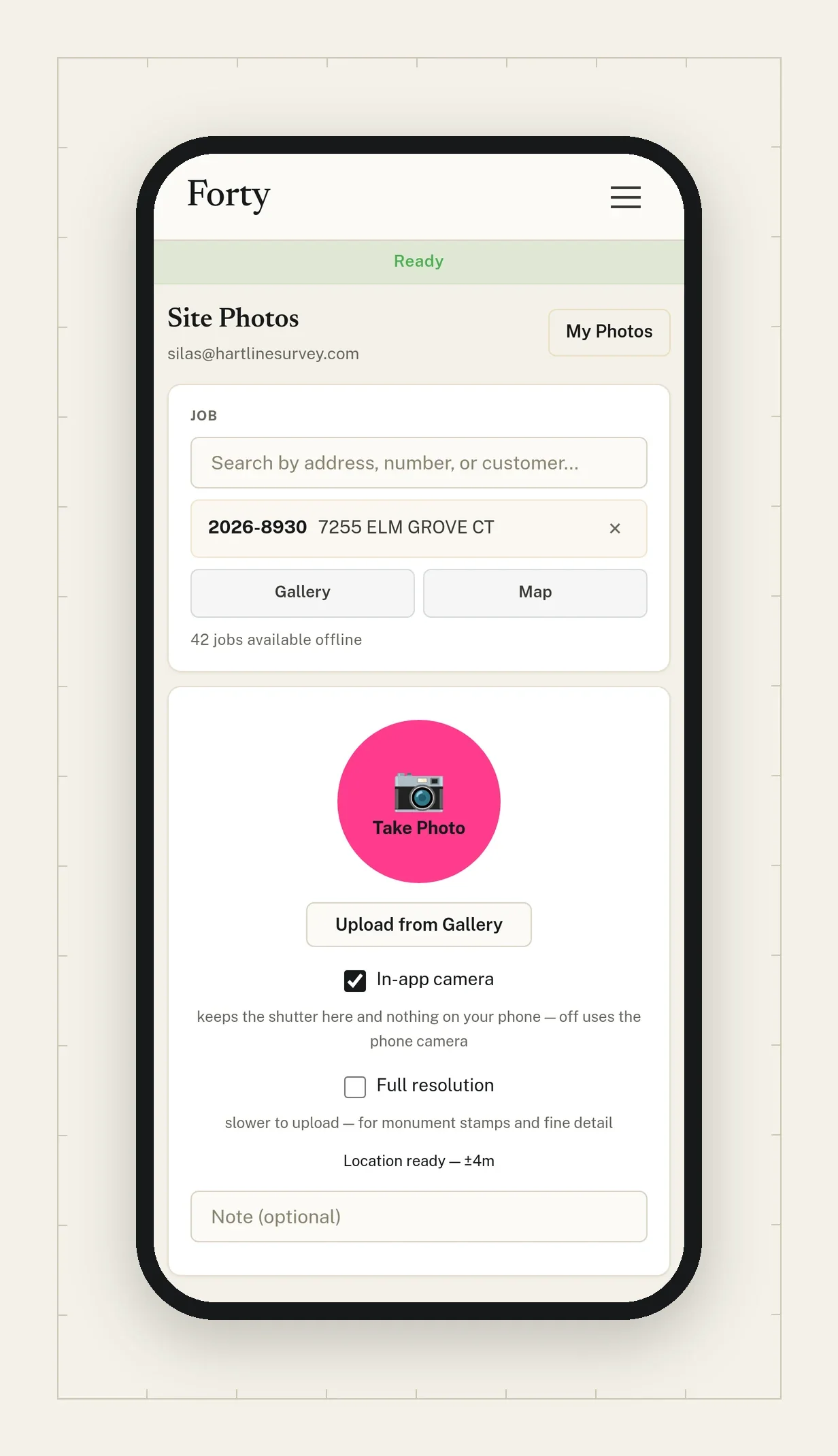
        Crews take photos in the Forty app and they file to the job automatically, even with no signal. No separate photo app, no per-user fee.

        Replaces

        • The paid job-photo app
        • Photos stuck on someone’s phone
        A site photo filed to its job, opened in the viewer
        Taking a site photo on the phone, filed to the job

        What you get

        Filed to the job, offline.
        Every shot is numbered on the phone before it has signal, so a dead zone can’t lose it or double it. It uploads when the truck is back in range.
        Distance from the job, in the camera.
        The crew sees how far they are from the job while they shoot, so the wrong property gets caught on site.
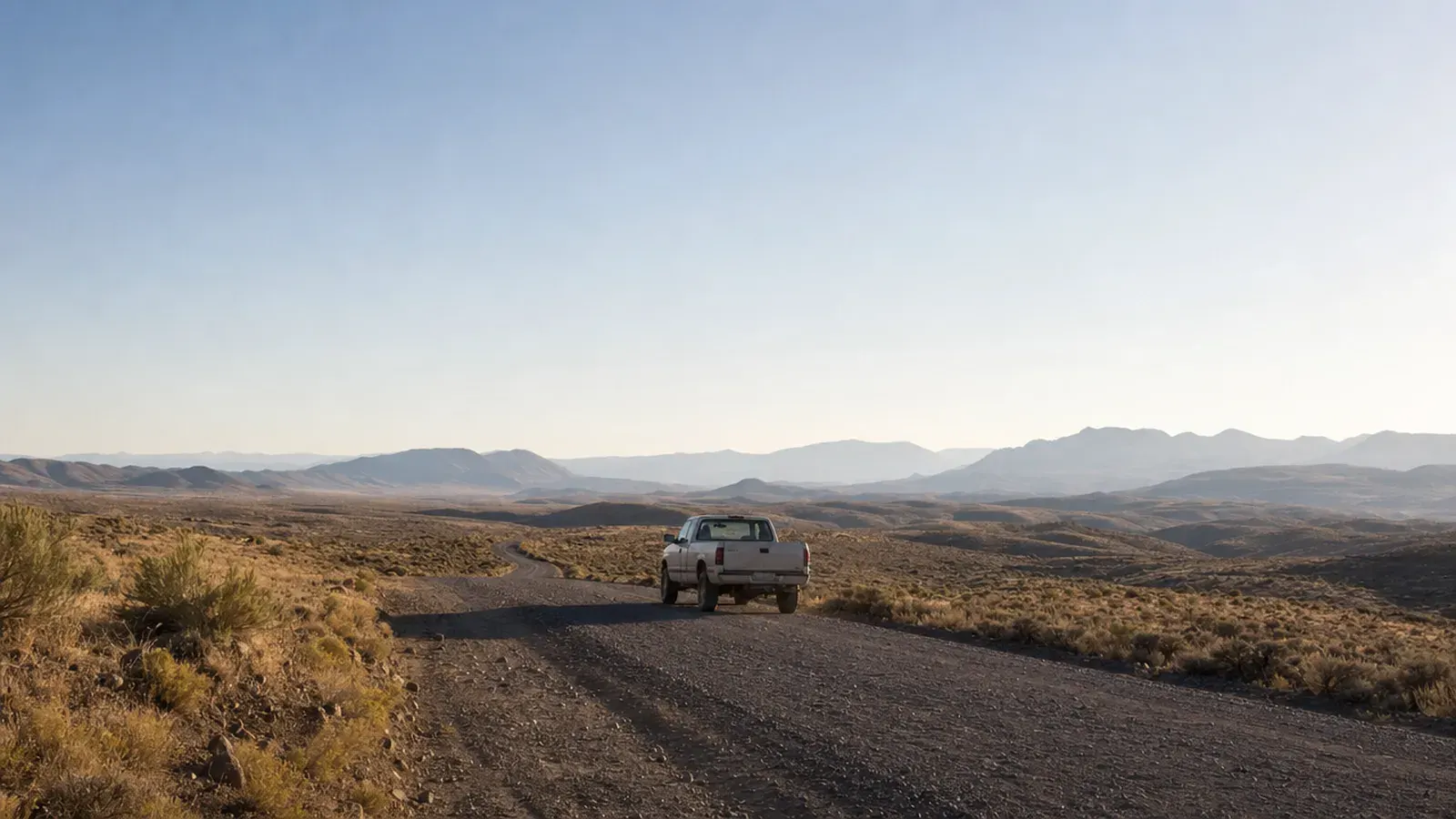
        A work pickup on a gravel road, far from signal

        In the day · 14:10

        The crew is in a dead zone at the back corner. The photos are on the job when the truck hits the highway.

        Try it This is how a photo from a dead zone reaches the office in Forty.

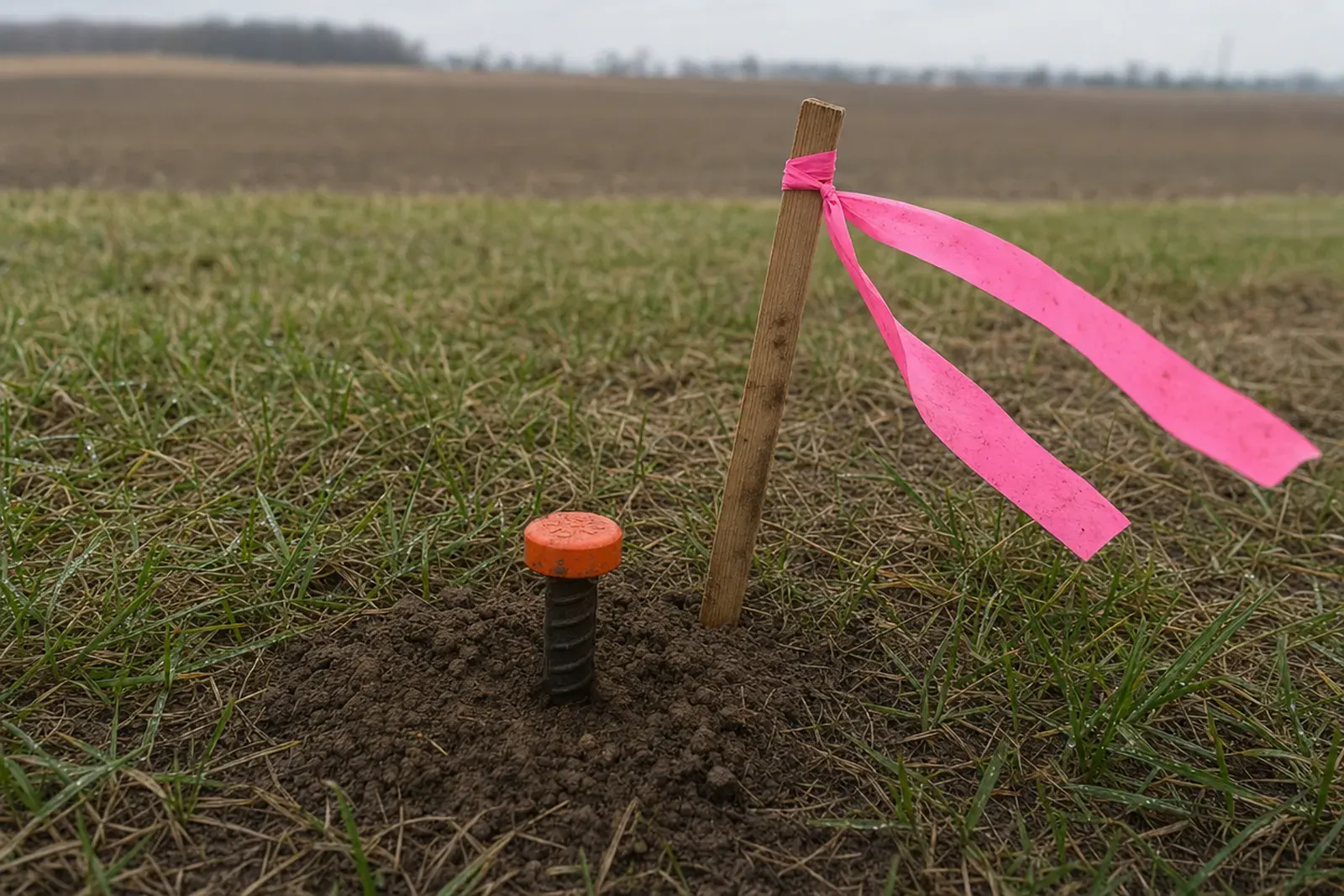
        A capped iron pin at a field edge, lath and pink flagging beside it
        Capped iron pin · NE corner · lath 4 ft N

        PH-26-08301

        JOB-26-0317-A · 1204 N. County Road 9

        41 ft from job09:14:06

        No signal · queued

        Same photo, same ID, before and after the upload. Nothing lost, nothing doubled.

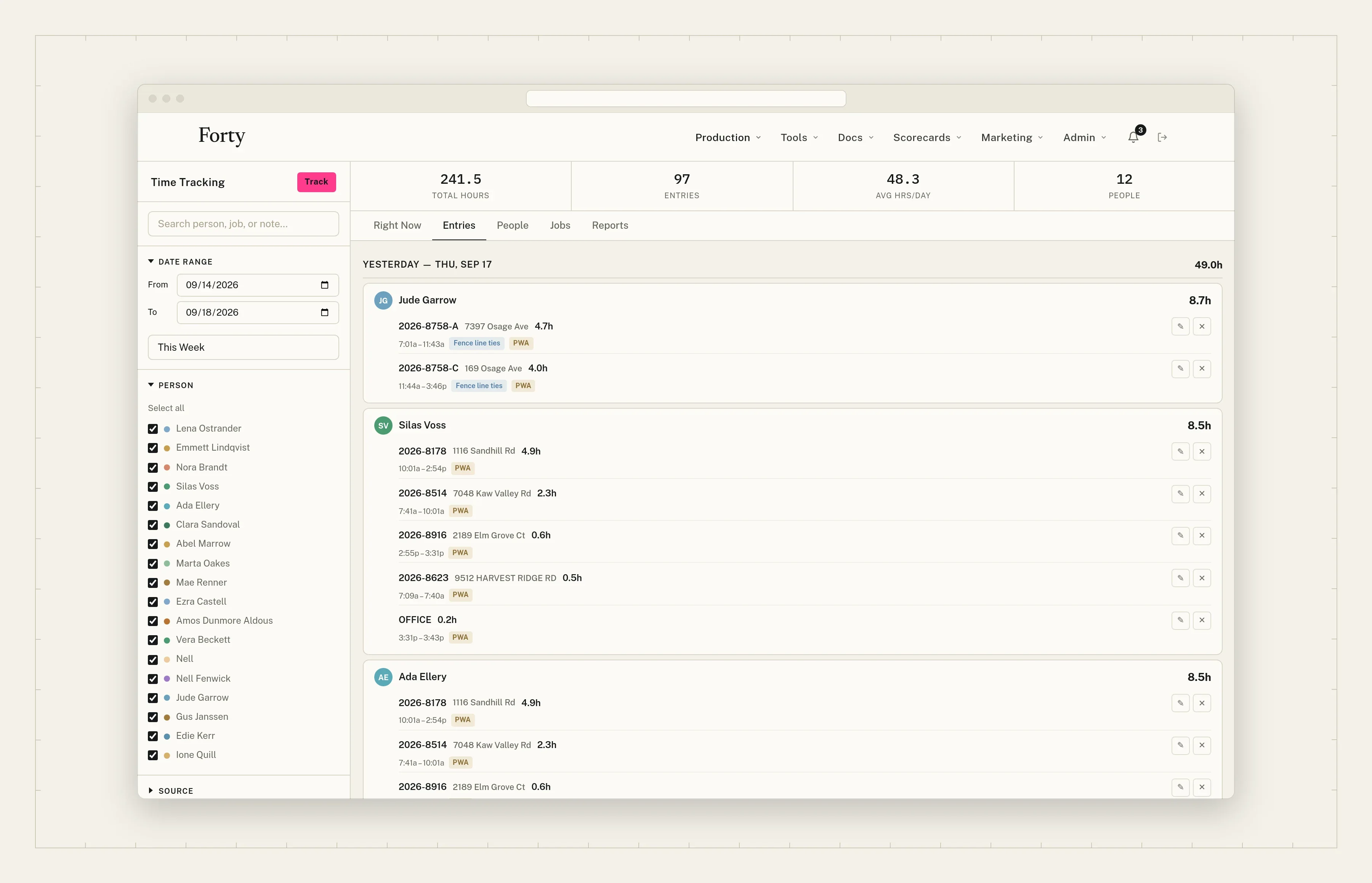
        07 · Time

        Time tracked by the job, by default.

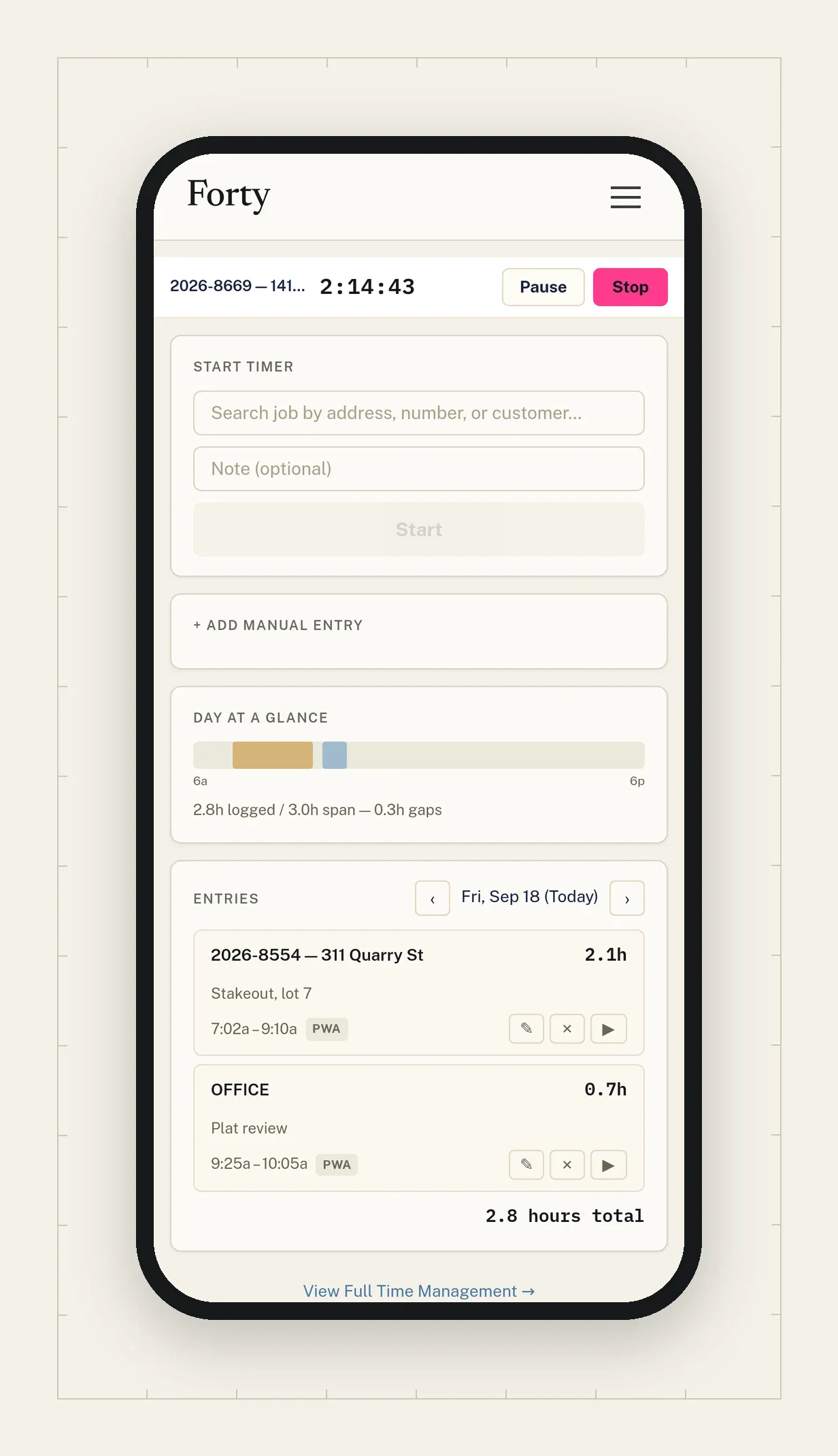
        No extra setup. Crews clock in to a job from the phone, and every hour is ready for job costing the moment it’s logged.

        Replaces

        • The time app
        • Timesheets that don’t tie to a job
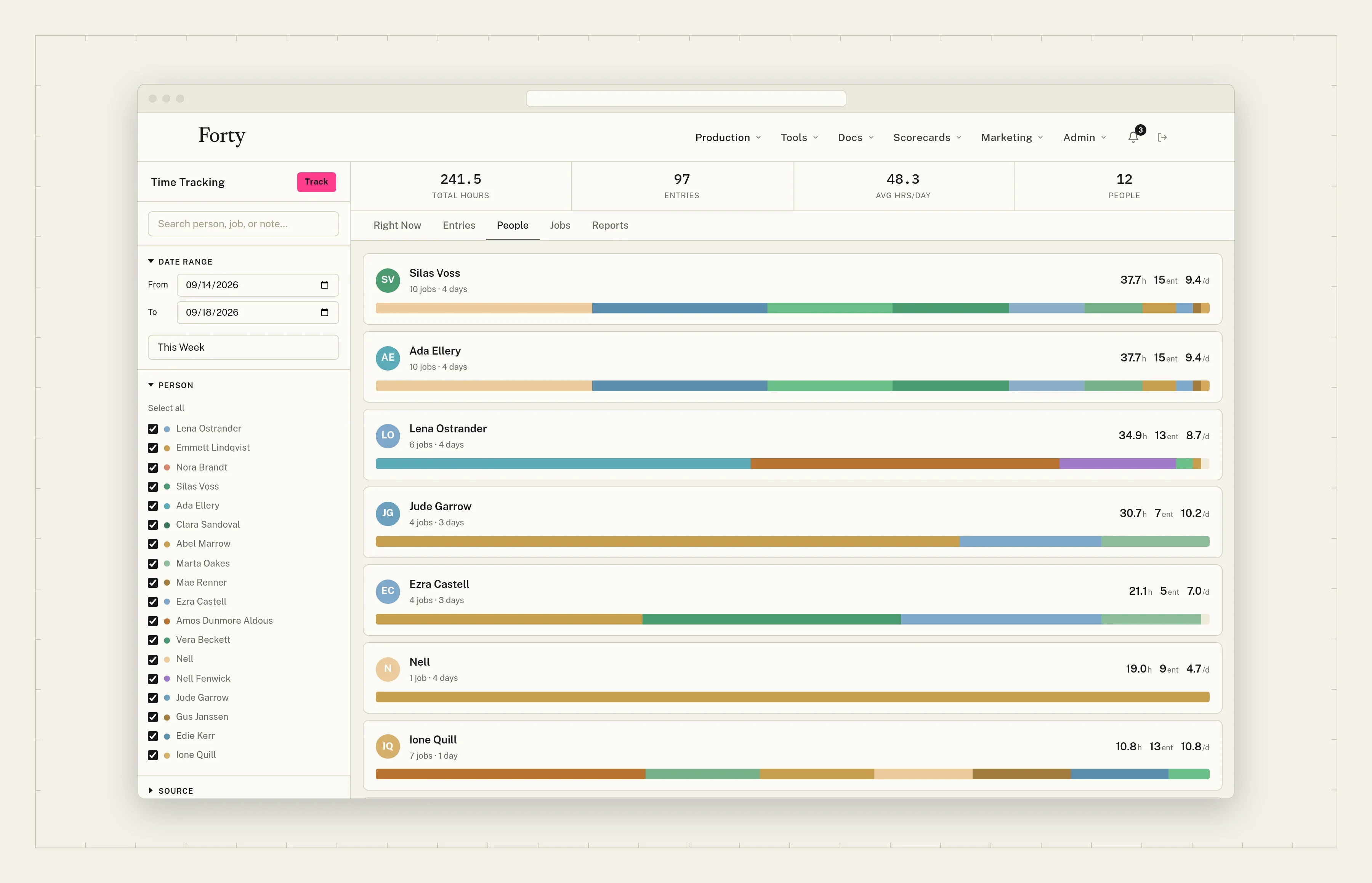
        Time by person for the week, split by job
        Time entries by day, each against a job
        Clocked in to a job on the phone

        What you get

        Ready for job costing.
        Hours roll up to the job and to the person as they’re logged, and feed job costing in Tracking. Hourly and day-rate work is kept apart from fixed-price jobs.
        Runaway timers get flagged.
        A timer left running over a weekend is held out of the averages until someone fixes it.
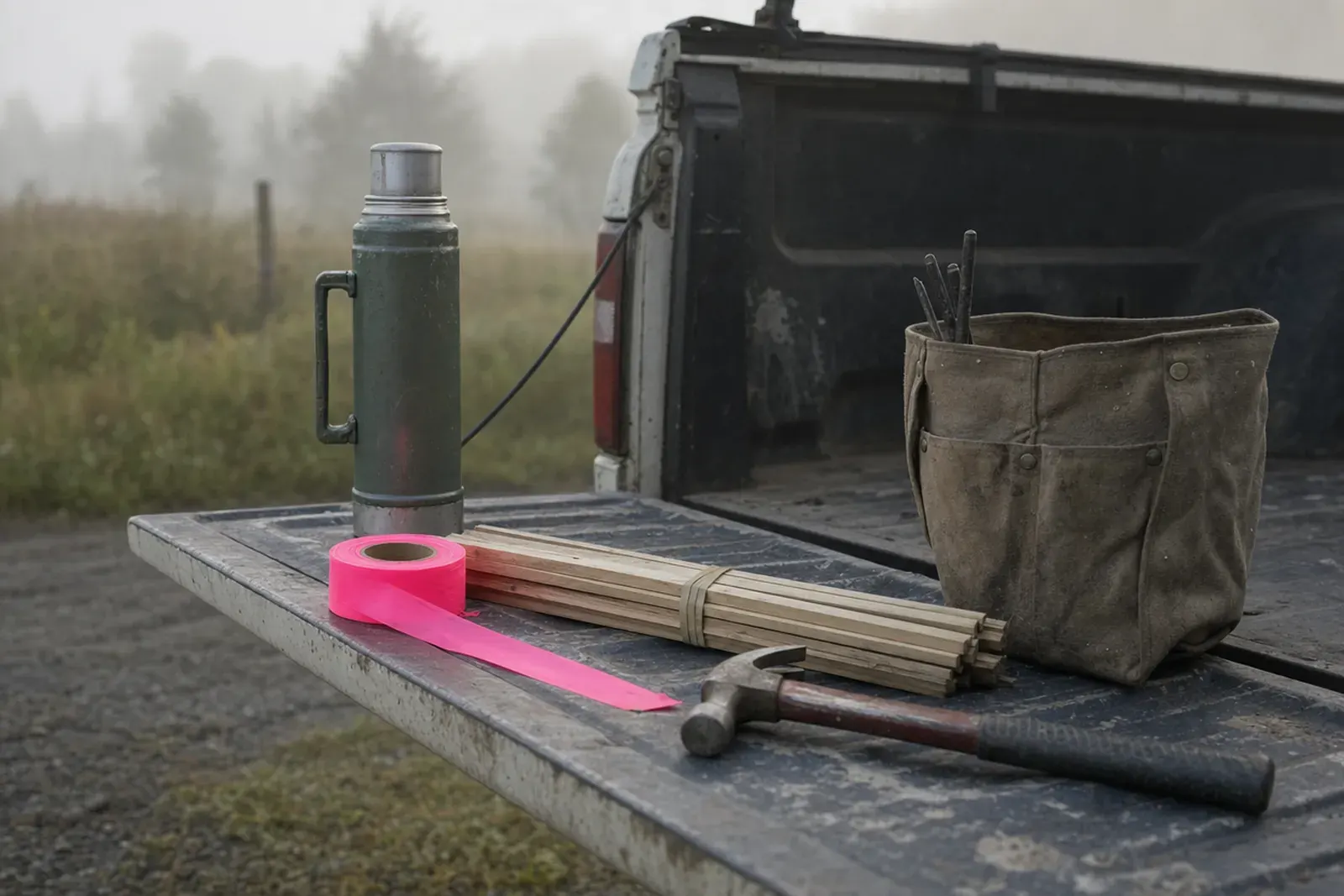
        A tailgate at first light: flagging, lath, a hammer, and a bag of pins

        In the day · Fri 16:30

        Friday afternoon, the hours for every open job are already there. Nobody has to chase a timesheet.

        Example This is how time rolls up to the job in Forty. The clocks are live.

        Time · Thu, Sep 18

        Crew 2

        JOB-26-0317-A

        Boundary · 1204 N. County Road 9

        02:14:36

        Running since 07:48

        JOB-26-0309

        Stakeout · 7 Birch Court

        1.25 h

        06:30 to 07:45

        JOB-26-0288

        Topo · Mill Creek Road

        Runaway timer Held out of the averages until someone fixes it.

        41:10:12

        Since Tue 16:52

        14.50 h

        JOB-26-0317-A, 3 people

        31.25 h

        Crew 2, this week

        Hours roll up to the job and to the person. A runaway timer stays visible and stays out of the math.

        08 · Tracking

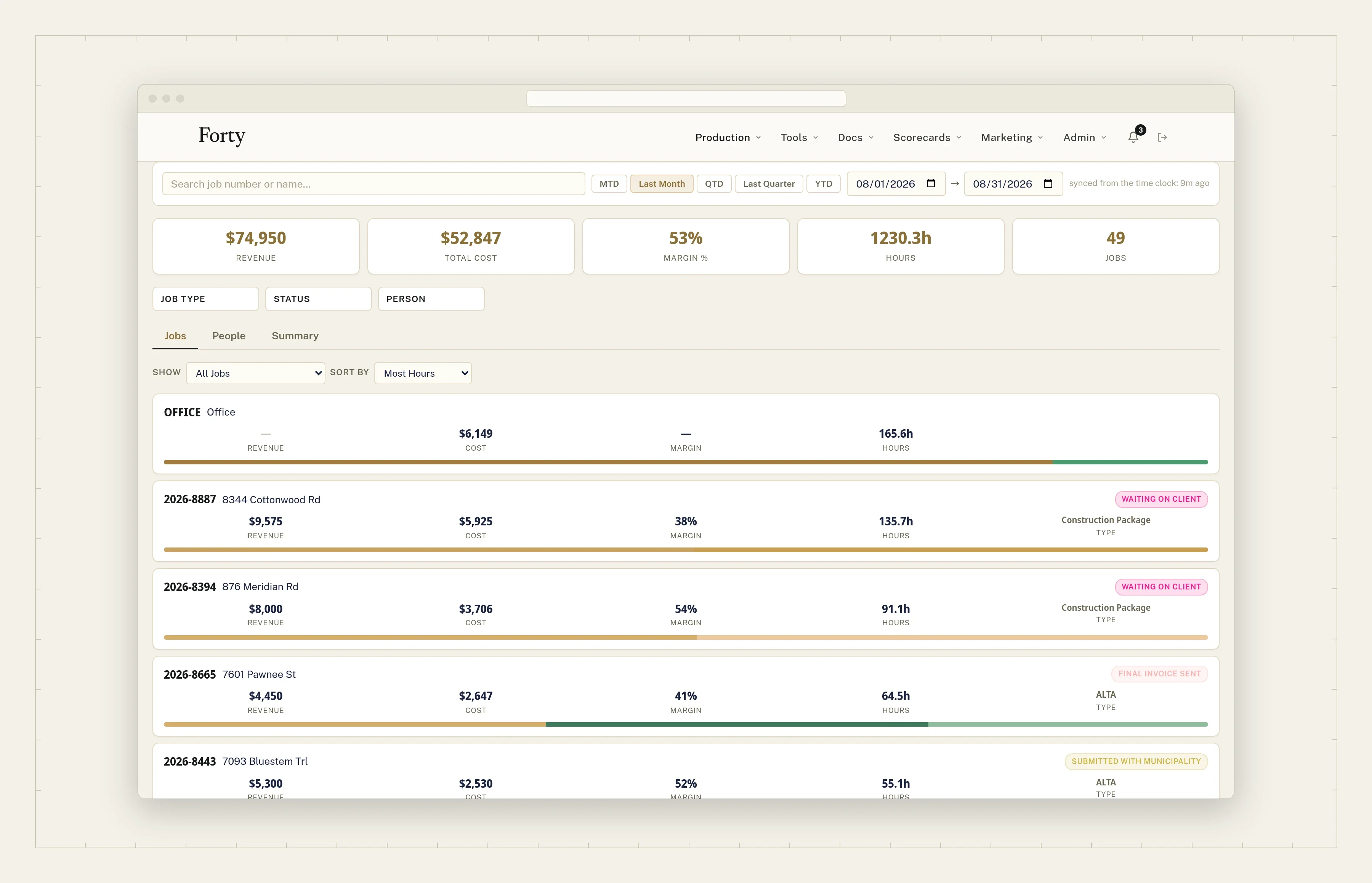
        The numbers you run the firm on, from the work already in Forty.

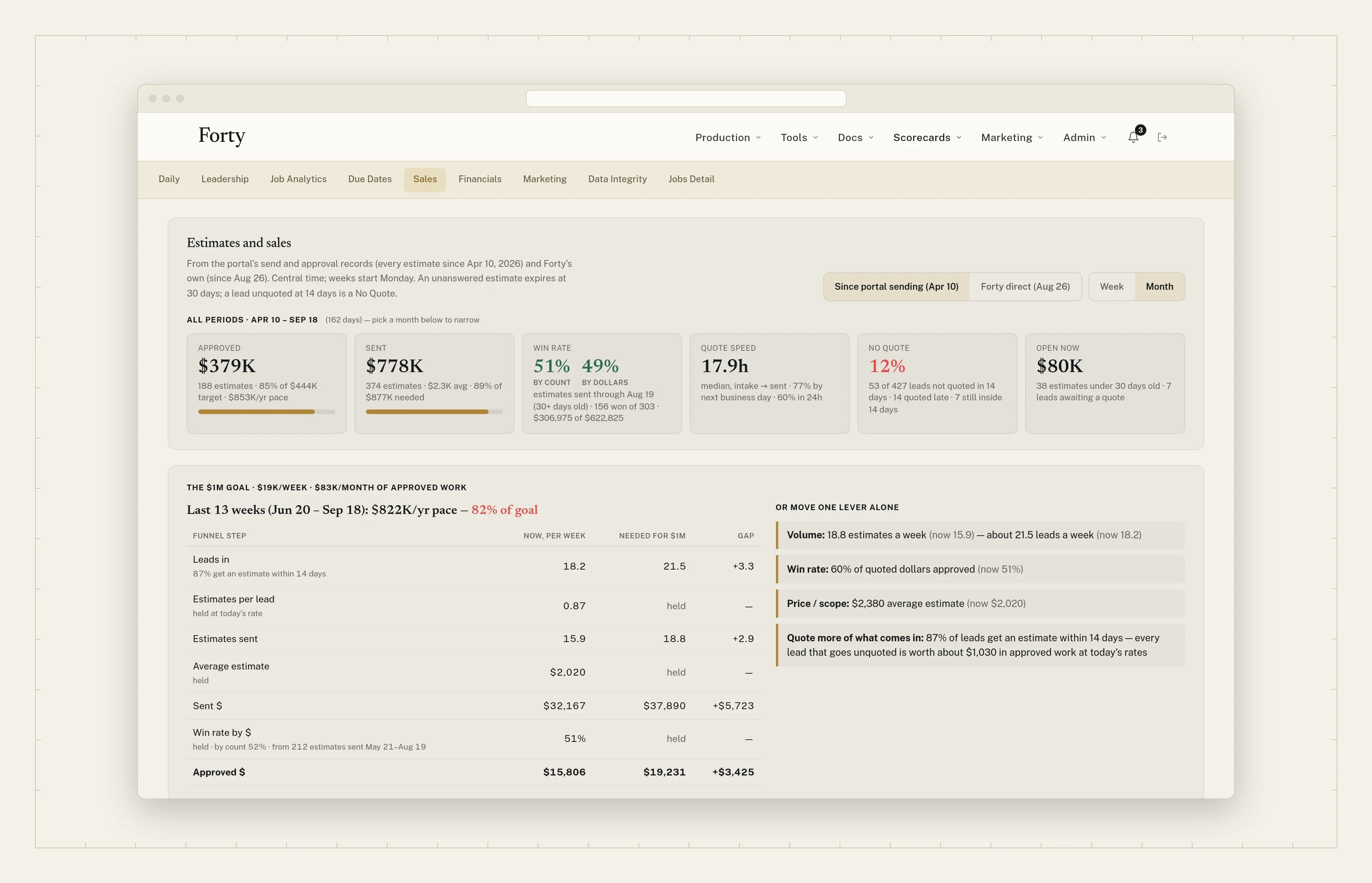
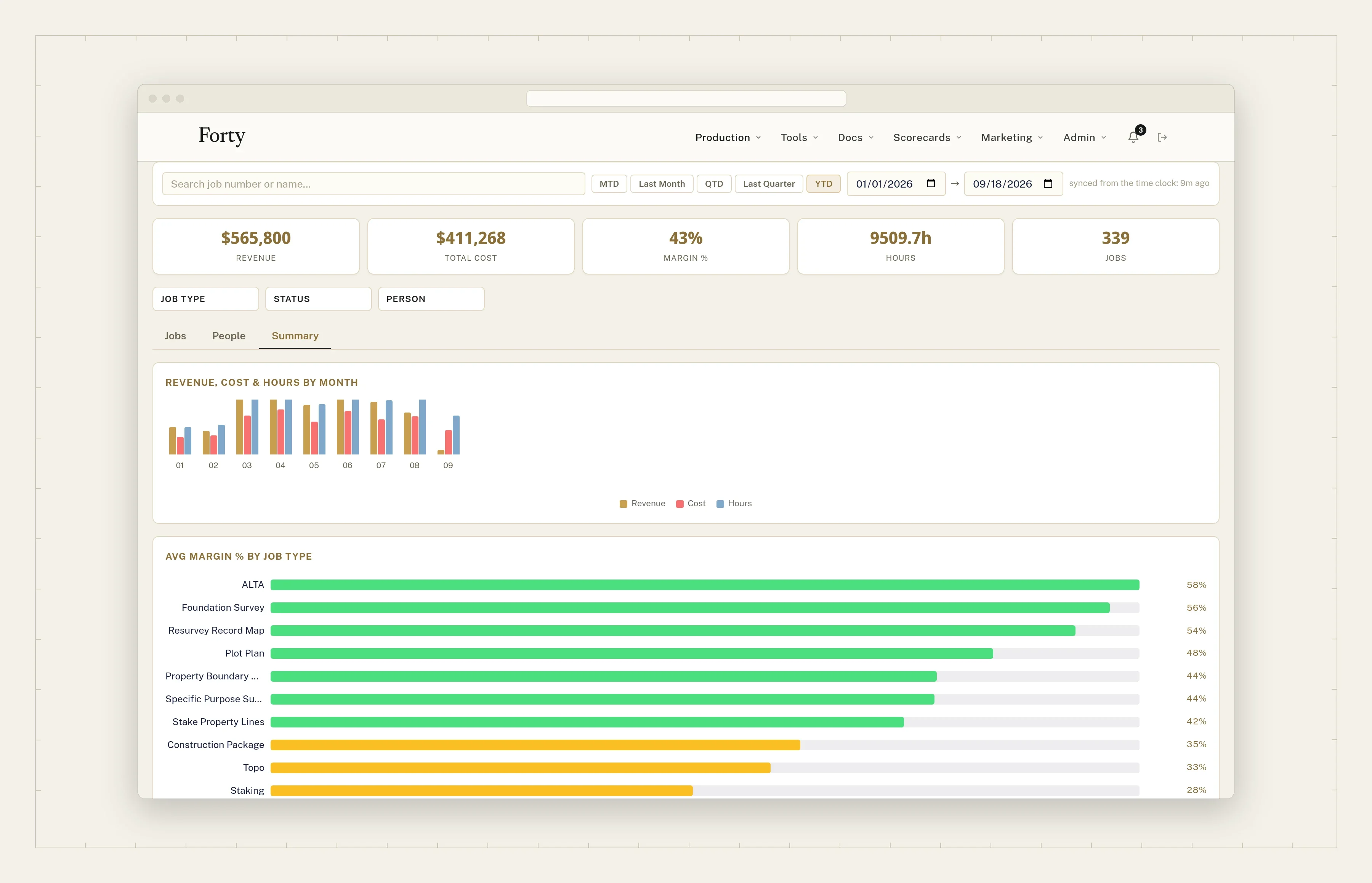
        See revenue, cost, margin, and hours for every job, job type, and person. See your win rate, quote speed, and pace to your yearly goal. No spreadsheet, no export.

        Replaces

        • Weekly numbers built by hand in a spreadsheet
        • Waiting on the accountant’s quarterly report
        Job costing: revenue, cost, margin, and hours for every job in a date range
        The Sales Scorecard: approved and sent against the yearly goal, win rate, and quote speed
        Job costing by job type: average margin, hours, and revenue by month

        What you get

        Job costing.
        Time tracked by the job flows into job costing: hours and cost against the price, per job and per job type. Set each person’s hourly cost once. Runaway timers are held out and counted.
        Sales Scorecard.
        Every estimate you send is counted: sent, approved, declined, or expired. Win rate by count and by dollars, how fast quotes go out, and your pace to a yearly goal you set.

        In the day · Mon 07:30

        Monday morning, last week’s quotes, wins, and job costs are on one page. Nobody built a spreadsheet over the weekend.

        Also in Tracking: the active pipeline by stage and upcoming due dates, once your job stages live in Forty.

        SW¼ SE¼ · Sec. 04 · T4N R2W

        Built for survey work, not adapted to it.

        Developed and used every day by a working survey firm. Every screen assumes survey work: jobs, crews, field codes, state plane, deliverables.

        A brass monument cap set in a sidewalk
        A generic toolForty
        Field work

        A photo of the sketch. Reviewed in CAD, later.

        The crew’s field codes drawn as linework on a live map, the day they’re shot.

        Topo

        A folder of files emailed to the client.

        A client viewer tied to the exact version you approved, with DXF and LandXML exports.

        Pricing

        One price field per line.

        Suggested prices from factors your firm sets: boundary length, corners, acreage, improvements.

        Approval

        “Reply to this email to approve.”

        Reviewed, approved, and signed on a phone. Three properties become three tracked jobs.

        Photos

        Saved when there’s signal.

        Filed to the job on the phone, with or without signal.

        Location

        An address field.

        Plotted in the job’s own state plane zone.

        NW¼ NW¼ · Sec. 11 · T4N R2W

        Beside your CAD, not in place of it.

        Forty isn’t a drafting package or a field data collector. It sits beside Carlson, Trimble, and Civil 3D. Linework and topo surfaces go to drafting when they’re right.

        Stays where it is
        Drafting, the plat, the data collector, the total station.
        Comes into Forty
        The quote, the job, the field review, the topo QC, the photos, and the hours.
        A plat unrolled on a desk at dusk

        NW¼ NE¼ · Sec. 03 · T4N R2W

        One system instead of the patchwork.

        Most firms run the office on six things that don’t talk to each other. Forty replaces them, ties everything to the job, and for most firms costs less than they do.

        A truck seat: a field book, a roll of pink flagging, a phone face down, coffee
        1. 01

          The work board

          Where the job stands, if someone updated it.

          In Forty:Jobs, lead to delivered

        2. 02

          Quote templates

          A Word file per quote, emailed one at a time.

          In Forty:Estimates

        3. 03

          Email

          Sent. Opened? Approved? Check the inbox, then call.

          In Forty:Approvals and follow-ups

        4. 04

          A photo app

          Another seat to pay for. Photos still stuck on a phone.

          In Forty:Site photos

        5. 05

          A time app

          Hours, but not against the job.

          In Forty:Time, by the job

        6. 06

          The whiteboard

          Who is where this week. Erased on Friday.

          In Forty:Every job on one map

        Try it This is where each piece of the patchwork lands in Forty.

        SE¼ NW¼ · Sec. 06 · T4N R2W

        Pricing.

        Per user, per month. No setup fee. For most firms, less than the patchwork of tools it replaces. The calculator below shows yours.

        Everything but LiDAR

        Forty

        $49 per user / month, all-inOne seat type, office and field alike.

        • Estimates and the customer portal
        • Pricing factors
        • Jobs and the map
        • Field-to-finish
        • Site photos
        • Time and job costing
        • Tracking

        Everyone at the firm: the office runs jobs and quotes; the field clocks in, shoots photos, and sends in points.

        Add-on

        Topography (LiDAR)

        $199 per month for the teamPlus processing, billed per job.

        • Surface from a point cloud or field-run data
        • QC and contour editing, down to 1 ft
        • DXF and LandXML
        • Client viewer tied to the approved version

        Firms that deliver topo.

        Forty next to the patchwork, for your firm.

        Try it Put in your headcount. Every price and seat count can be changed.

        In the field7

        The patchwork

        1. Project board1

          Office seats

          $720(5 seats × $12) × 12

        2. Proposals and e-sign2

          Office seats

          $1,140(5 seats × $19) × 12

        3. Job-site photos3

          Everyone, office and field

          $4,584($34 + 12 seats × $29) × 12

        4. Time tracking4

          Everyone, office and field

          $1,680($20 + 12 seats × $10) × 12

        What the patchwork costs now

        $8,124a year

        $677 a month

        Forty

        1. Forty, all-in12 users × $49$588

        Forty for the same firm

        $7,056a year

        $588 a month

        $1,068 a year less than the patchwork.

        Office and field users are the same price. The patchwork side has no topography, so it’s off by default.

        That’s what the patchwork costs, and it still can’t do what Forty does: field-to-finish, topography, and everything tied to the job.

        1. 1 Project board: monday.com Standard, $12 per seat, 3-seat minimum. monday.com/pricing
        2. 2 Proposals and e-sign: PandaDoc Essentials, $19 per seat. pandadoc.com/pricing
        3. 3 Job-site photos: CompanyCam Core, $34 a month plus $29 per seat. companycam.com/pricing
        4. 4 Time tracking: QuickBooks Time Premium, $20 a month plus $10 per seat. quickbooks.intuit.com/time-tracking/pricing
        5. Typical published list prices, billed annually, checked Sep 18, 2026. No add-ons or negotiated discounts.

        NE¼ SW¼ · Sec. 12 · T4N R2W

        Forty is opening to a small number of survey firms.

        Tell us about the office. We’ll write back.

        • Developed and used every day by a working survey firm.
        • Field-to-finish, topography, estimates, the customer portal, jobs and the map, site photos, time, and tracking, in one system.
        • $49 per user per month, all-in. For most firms, less than the patchwork it replaces.
        Pink flagging tied to a branch in open woods

        RequestREQ-26-····

        What would you want first? Optional

        We use this to reply to you, and for nothing else. Privacy

        T4N R2W

        Find the forty.

        Just for fun Pick a section, a quarter, then the forty.